
Excel Macros & VBA Training Course
Key information
Upcoming sessions
Would you like to schedule this training on a specific date? Contact us by email or via the contact form.
Description of the training: Excel Macros & VBA Training Course
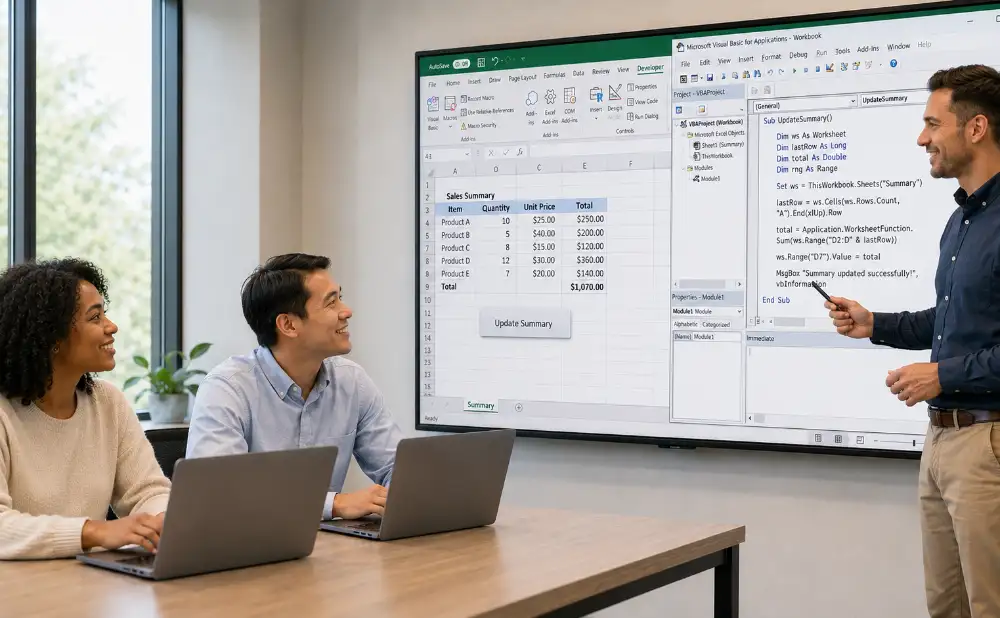
This Excel Macros & VBA training course is aimed at advanced users who want to automate their processing and develop genuine applications in Excel. Over two highly practical days, you will learn to record and adapt macros, then write your own procedures in VBA (Visual Basic for Applications). You will master variables, conditions and loops, manipulate workbooks, sheets and cells through code, and create interactions with the user. By the end, you will be able to automate repetitive tasks, make your workbooks more reliable and save your team a considerable amount of time.
Complementary courses: to go further, also discover Excel Advanced Level Training Course, Excel Data Analysis & Automation Training Course and Power Query & ETL Training Course.
Good to know
The sessions are guaranteed from the first registration (except in cases of force majeure).
A preliminary interview takes place between the participant and/or a company contact in order to fully take into account the participant’s profile (level, needs, professional context, challenges, etc.).
Assessment: during the course, the trainer assesses participants’ learning progress through quizzes, role-play and practical exercises. Participants receive a certificate of completion at the end of the course.
This training course is part of our Power Platform Training Courses catalogue. Explore all our Power Platform courses to automate, analyse and build your business applications without code.
Objectives of the training: Excel Macros & VBA Training Course
By the end of the course, participants will be able to:
- record, run and edit macros;
- find their way around the VBA editor and Excel’s object model;
- use variables, conditions and loops;
- manipulate workbooks, sheets, ranges and cells through code;
- create interactions with the user (dialog boxes, forms);
- handle errors and make code more reliable.
Prerequisites of the training: Excel Macros & VBA Training Course
To follow this course under the best conditions, it is recommended to have a good level in Excel (advanced formulas, PivotTables); no prior programming knowledge is required. Because every participant is unique, a personalised interview is held beforehand in order to adapt the pace and practical cases to your context.
Detailed programme of the training: Excel Macros & VBA Training Course
Recording and running macros
- Understand the value of macros. Record a macro and run it. Assign a macro to a button or a shortcut. Read and understand the recorded code in order to adapt it.
The VBA development environment
- Discover the Visual Basic Editor (VBE). Modules, procedures and functions. Excel’s object model (Application, Workbook, Worksheet, Range). Properties, methods and events.
Variables, conditions and loops
- Declare and use variables. Conditional structures (If, Select Case). Loops (For, For Each, Do While). Write readable, structured code.
Manipulating workbooks, sheets and cells
- Browse and manipulate workbooks and sheets. Select and modify ranges and cells. Automate formatting and calculations. Copy, filter and consolidate data through code.
Interacting with users and making code reliable
- Interact with the user (MsgBox, InputBox, introduction to UserForms). Handle errors (On Error). Best practices for reliability and maintenance. Secure and distribute a VBA application.
The highlights of this training course
- This course: focuses on practice with around 60% of hands-on exercises in Excel; lets you work on your own automation cases; takes place in a small group of 1 to 3 participants; is led by an expert trainer; leads to a certificate of completion.
FAQ
What is a macro in Excel?
A macro is a series of recorded or programmed actions that can be replayed automatically to avoid repetitive tasks. Macros can be recorded and then adapted, or written entirely in VBA. The course covers both approaches.
What is VBA?
VBA (Visual Basic for Applications) is the programming language built into Excel and the Office applications. It lets you automate processing, manipulate data through code and create genuine tailor-made applications. It is at the heart of this course.
Do you need to know how to program to take this course?
No, no prior programming knowledge is required. However, a good level of Excel use (advanced formulas, PivotTables) is recommended to make the most of the course.
How long does the Excel Macros & VBA training course last?
The course lasts 2 days, i.e. 14 hours. Sessions are guaranteed from the first registration and take place in a small group of 1 to 3 participants. The programme can be customised and organised at your premises.
Is this course eligible for CPF or OPCO funding?
This course is funded directly by the company and is not eligible for CPF. Depending on your situation, funding by your OPCO may be considered: contact us to explore the funding options suited to your project.
.elementor-accordion .elementor-tab-title .elementor-accordion-icon{margin-right:10px}.elementor-accordion .elementor-tab-title .elementor-accordion-icon + a,.elementor-accordion .elementor-tab-title .elementor-accordion-title{padding-left:4px}