
Sessions guaranteed from a single registrant (no risk of postponement except in cases of force majeure)
Modern IT support is built around Microsoft 365, Intune and Windows 11. This certified path takes support and administration teams from the fundamentals of Microsoft 365 administration to mastery of endpoint management with Intune, including expert Windows 11 troubleshooting. In 11 days, you become a reference able to deliver level 1 and 2 user support on the modern Microsoft environment. You build recognised expertise with the official Microsoft MD-102 certification and several MFE-IT certificates of attainment.
Discover our certified training courses · Browse all our certified paths
Who is this path for?
This path is aimed at IT support technicians, junior/intermediate Microsoft 365 administrators, IT asset managers, workstation engineers and deployment consultants who want to upskill on the modern Microsoft environment and structure their user support.
If you need to answer questions such as “how do we manage our Windows 11 fleet remotely?”, “how do we deploy applications via Intune?” or “how do we industrialise Windows 11 troubleshooting?”, this path is for you.
Your objectives at the end of the path
- Master the fundamentals of Microsoft 365 administration for IT teams (Microsoft 365 Fundamentals)
- Administer Windows and mobile endpoints with Microsoft Intune and obtain the MD-102 certification (MD-102)
- Set up user support workflows on Intune day to day (Intune for the IT support team)
- Become an expert in Windows 11 troubleshooting in a professional environment (Windows 11 Support)
- Validate your upskilling with the Microsoft MD-102 certification and several MFE-IT certificates
The 4 modules of the path

Module 1 — Microsoft 365 Fundamentals
4 days · 28h. Understand the Microsoft 365 ecosystem for IT teams: licensing, Entra ID, Exchange Online, SharePoint, Teams, security and compliance. Validated by an MFE-IT certificate of achievement.
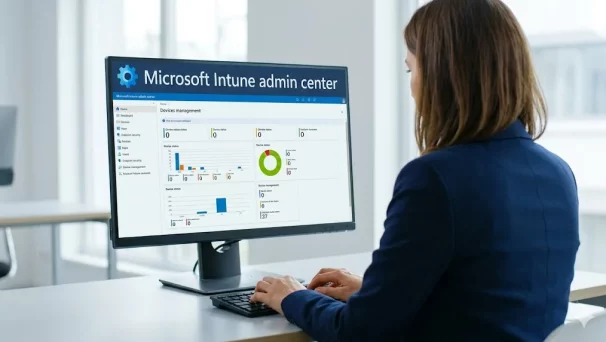
Module 2 — Microsoft 365 Endpoint Intune (MD-102)
4 days · 28h. Administer Microsoft Intune in depth, deploy configuration policies, applications and updates, and prepare for the official certification. Validated by theMicrosoft MD-102 exam.
📘 Official Microsoft certification: MD-102 on Microsoft Learn
Module 3 — Intune for the IT support team
1 day · 6h. Set up user support workflows on Intune: escalation, remote troubleshooting, day-to-day incident management. Validated by an MFE-IT certificate of achievement.

Module 4 — Windows 11 Support
2 days · 14h. Become an expert in Windows 11 troubleshooting in a professional environment: advanced diagnostics, resolution of complex incidents, optimisation. Validated by an MFE-IT certificate of achievement.
MFE-IT educational format
- Mini-group of 1 to 3 participants, guaranteed from a single registrant.
- 60% hands-on : guided labs on a demo Microsoft 365 tenant, mini-projects and personalised corrections.
- On-site at your premises or synchronous remote, with individualised support throughout the path.
- Microsoft MD-102 exam voucher included. Several MFE-IT mock exams integrated throughout the path.
- Quiz platform included in our prices: practise under exam conditions, with a detailed report provided at the end of each quiz.
- Solidar-IT : 30 € per participant donated to our partner associations.
Prerequisites
This path is aimed at IT technicians already in post or retraining. The recommended prerequisites are:
- General knowledge of a Windows operating system (Windows 10 or 11)
- Basic networking notions (TCP/IP, DNS, DHCP)
- Level 1 user support experience appreciated
- No specific Microsoft 365 prerequisite: the path starts from the fundamentals
Pricing and funding
The full path is offered at 6,200 € excl. VAT. This price covers:
- The 4 training courses (Microsoft 365 Fundamentals, MD-102, Intune for the IT support team, Windows 11 Support)
- One Microsoft MD-102 exam voucher (official certification)
- Several MFE-IT mock exams integrated throughout the path
- The educational materials in full and access to the Microsoft Learn guided labs
- A global MFE-IT certificate of attainment at the end of the path
The MD-102 module is validated by an official Microsoft exam (voucher included). The three other modules are validated by MFE-IT certificates. Funding : skills development plan.
World you like the detailed path programme?
Frequently asked questions about the Microsoft 365, Intune & IT Support path
Who is this path for?
This path is aimed at IT support technicians, junior/intermediate Microsoft 365 administrators, IT asset managers and workstation engineers who want to upskill on the modern Microsoft environment. It is also suitable for profiles retraining towards IT support who want to acquire solid foundations in Microsoft 365, Intune and Windows 11.
What Microsoft 365 and Intune skills does the path cover?
The path covers modern workplace management: Microsoft 365 fundamentals (MS-102), endpoint management with Intune (MD-102: deployment, compliance, app protection), IT support tooling with Intune and Windows 11 support.
Does the path prepare for Microsoft certifications?
Yes. It prepares in particular for the MS-102 (Microsoft 365 Administrator) and MD-102 (Endpoint Administrator) exams, with a practical focus on IT support and Windows 11 device management.
How long is the path and how is it spread out?
The path lasts 11 days (76 hours, based on 6 to 7h/day), spread over 8 to 12 weeks depending on your schedule. The spacing lets you put each module into practice on your tenant or lab environment between sessions, and properly prepare the MD-102 certification exam between modules 2 and 3.
How is the 6,200 € excl. VAT price broken down?
The price covers the four training courses (Microsoft 365 Fundamentals, MD-102, Intune for the IT support team et Windows 11 Support), one official Microsoft MD-102 exam voucher, several MFE-IT mock exams integrated into the path, the full educational materials, access to the Microsoft Learn guided labs and a global MFE-IT certificate of attainment issued at the end of the path.
The MD-102 module is certified by an official Microsoft exam (voucher included). The three other modules do not have a Microsoft exam: MFE-IT then issues a certificate of attainment.
What are the prerequisites for this path?
The recommended prerequisites are a general knowledge of a Windows operating system (10 or 11), basic networking notions (TCP/IP, DNS, DHCP) and level 1 user support experience is appreciated. No specific Microsoft 365 prerequisite is required: the path starts from the fundamentals. The path is particularly suited to profiles retraining towards IT support.
What session format is offered?
Sessions take place in groups of 1 to 3 participants to guarantee individualised attention and a pace suited to your profile. On-site delivery can take place directly at your premises, and remote delivery can be recorded on request so that you can review the key passages. Each day alternates theory, demonstrations and hands-on exercises on a Microsoft 365 tenant or lab environment.
What job does this path prepare for?
The path prepares for the role of experienced IT support technician on the modern Microsoft environment. On completion, you can administer Microsoft 365 within an IT team, deploy and manage Intune, set up user support workflows and troubleshoot Windows 11 in depth. This is a key profile in every company that has migrated or is migrating to the Microsoft cloud.
What is the value of the Microsoft MD-102 certification?
The MD-102 certification (Endpoint Administrator Associate) is an official Microsoft certification that validates your mastery of endpoint administration via Intune in a modern Microsoft 365 environment. It is one of the most in-demand certifications in IT support and M365 administration job offers. On completion of the path, you obtain this certification as well as several MFE-IT certificates for the modules without a Microsoft exam.
What is the difference with the Copilot for IT Departments path?
This path focuses on the fundamentals of Microsoft 365 administration and user support with Intune and Windows 11. The Copilot for IT Departments path targets a more senior audience (CISOs, IT directors, security architects) and covers the administration, security and governance specific to the Microsoft Copilot rollout. The two paths are complementary: this path lays the foundations, the Copilot for IT Departments path deepens them on the generative AI dimension.