
Microsoft 365 Advanced Support Training Course
Key information
Upcoming sessions
Would you like to schedule this training on a specific date? Contact us by email or via the contact form.
Description of the training: Microsoft 365 Advanced Support Training Course
Would you like to schedule this Microsoft 365 Advanced Support Training Course on a specific date ? Contact us by email or by filling out the contact form.
Contact us {"@context":"https://schema.org","@type":"Course","name":"Microsoft 365 Advanced Support Training Course","description":"Microsoft 365 Advanced Support Training Course with MFE-IT. Manage the core Microsoft 365 services — Exchange, SharePoint, Teams, OneDrive.","url":"https://mfe-it.com/en/microsoft-365-advanced-support-training-course/","inLanguage":"en","provider":{"@type":"Organization","name":"MFE-IT","url":"https://mfe-it.com/","sameAs":"https://mfe-it.com/"},"offers":{"@type":"Offer","category":"Professional training","priceCurrency":"EUR","availability":"https://schema.org/InStock"},"hasCourseInstance":{"@type":"CourseInstance","courseMode":"Onsite","courseWorkload":"P2D"}} .elementor-14330 .elementor-element.elementor-element-21dedaf{--display:flex;--flex-direction:column;--container-widget-width:100%;--container-widget-height:initial;--container-widget-flex-grow:0;--container-widget-align-self:initial;--flex-wrap-mobile:wrap;--padding-top:50px;--padding-bottom:50px;--padding-left:0px;--padding-right:0px;}.elementor-14330 .elementor-element.elementor-element-21dedaf:not(.elementor-motion-effects-element-type-background), .elementor-14330 .elementor-element.elementor-element-21dedaf > .elementor-motion-effects-container > .elementor-motion-effects-layer{background-color:var( --e-global-color-primary );}.elementor-14330 .elementor-element.elementor-element-c833b3c .elementor-icon-list-icon i{color:var( --e-global-color-6ecb672 );transition:color 0.3s;}.elementor-14330 .elementor-element.elementor-element-c833b3c .elementor-icon-list-icon svg{fill:var( --e-global-color-6ecb672 );transition:fill 0.3s;}.elementor-14330 .elementor-element.elementor-element-c833b3c{--e-icon-list-icon-size:20px;--icon-vertical-offset:0px;}.elementor-14330 .elementor-element.elementor-element-c833b3c .elementor-icon-list-text{color:var( --e-global-color-7295773 );transition:color 0.3s;}.elementor-14330 .elementor-element.elementor-element-fc848b4{--grid-template-columns:repeat(0, auto);text-align:center;--icon-size:22px;--grid-column-gap:5px;--grid-row-gap:0px;}.elementor-14330 .elementor-element.elementor-element-fc848b4 .elementor-social-icon{background-color:#FF000000;--icon-padding:0em;}.elementor-14330 .elementor-element.elementor-element-fc848b4 .elementor-social-icon:hover i{color:var( --e-global-color-accent );}.elementor-14330 .elementor-element.elementor-element-fc848b4 .elementor-social-icon:hover svg{fill:var( --e-global-color-accent );}.elementor-14330 .elementor-element.elementor-element-4caf259 .menu-item a.hfe-menu-item{padding-left:15px;padding-right:15px;}.elementor-14330 .elementor-element.elementor-element-4caf259 .menu-item a.hfe-sub-menu-item{padding-left:calc( 15px + 20px );padding-right:15px;}.elementor-14330 .elementor-element.elementor-element-4caf259 .hfe-nav-menu__layout-vertical .menu-item ul ul a.hfe-sub-menu-item{padding-left:calc( 15px + 40px );padding-right:15px;}.elementor-14330 .elementor-element.elementor-element-4caf259 .hfe-nav-menu__layout-vertical .menu-item ul ul ul a.hfe-sub-menu-item{padding-left:calc( 15px + 60px );padding-right:15px;}.elementor-14330 .elementor-element.elementor-element-4caf259 .hfe-nav-menu__layout-vertical .menu-item ul ul ul ul a.hfe-sub-menu-item{padding-left:calc( 15px + 80px );padding-right:15px;}.elementor-14330 .elementor-element.elementor-element-4caf259 .menu-item a.hfe-menu-item, .elementor-14330 .elementor-element.elementor-element-4caf259 .menu-item a.hfe-sub-menu-item{padding-top:10px;padding-bottom:10px;}.elementor-14330 .elementor-element.elementor-element-4caf259 ul.sub-menu{width:220px;}.elementor-14330 .elementor-element.elementor-element-4caf259 .sub-menu a.hfe-sub-menu-item, .elementor-14330 .elementor-element.elementor-element-4caf259 nav.hfe-dropdown li a.hfe-menu-item, .elementor-14330 .elementor-element.elementor-element-4caf259 nav.hfe-dropdown li a.hfe-sub-menu-item, .elementor-14330 .elementor-element.elementor-element-4caf259 nav.hfe-dropdown-expandible li a.hfe-menu-item, .elementor-14330 .elementor-element.elementor-element-4caf259 nav.hfe-dropdown-expandible li a.hfe-sub-menu-item{padding-top:15px;padding-bottom:15px;}.elementor-14330 .elementor-element.elementor-element-4caf259 a.hfe-menu-item, .elementor-14330 .elementor-element.elementor-element-4caf259 a.hfe-sub-menu-item{font-family:"Poppins", Sans-serif;font-size:13px;font-weight:400;line-height:13px;}.elementor-14330 .elementor-element.elementor-element-4caf259 .menu-item a.hfe-menu-item, .elementor-14330 .elementor-element.elementor-element-4caf259 .sub-menu a.hfe-sub-menu-item{color:var( --e-global-color-7295773 );}.elementor-14330 .elementor-element.elementor-element-4caf259 .menu-item a.hfe-menu-item:hover, .elementor-14330 .elementor-element.elementor-element-4caf259 .sub-menu a.hfe-sub-menu-item:hover, .elementor-14330 .elementor-element.elementor-element-4caf259 .menu-item.current-menu-item a.hfe-menu-item, .elementor-14330 .elementor-element.elementor-element-4caf259 .menu-item a.hfe-menu-item.highlighted, .elementor-14330 .elementor-element.elementor-element-4caf259 .menu-item a.hfe-menu-item:focus{color:var( --e-global-color-accent );}.elementor-14330 .elementor-element.elementor-element-4caf259 .menu-item.current-menu-item a.hfe-menu-item, .elementor-14330 .elementor-element.elementor-element-4caf259 .menu-item.current-menu-ancestor a.hfe-menu-item{color:var( --e-global-color-accent );}.elementor-14330 .elementor-element.elementor-element-4caf259 .sub-menu, .elementor-14330 .elementor-element.elementor-element-4caf259 nav.hfe-dropdown, .elementor-14330 .elementor-element.elementor-element-4caf259 nav.hfe-dropdown-expandible, .elementor-14330 .elementor-element.elementor-element-4caf259 nav.hfe-dropdown .menu-item a.hfe-menu-item, .elementor-14330 .elementor-element.elementor-element-4caf259 nav.hfe-dropdown .menu-item a.hfe-sub-menu-item{background-color:#fff;}.elementor-14330 .elementor-element.elementor-element-4caf259 .sub-menu li.menu-item:not(:last-child), .elementor-14330 .elementor-element.elementor-element-4caf259 nav.hfe-dropdown li.menu-item:not(:last-child), .elementor-14330 .elementor-element.elementor-element-4caf259 nav.hfe-dropdown-expandible li.menu-item:not(:last-child){border-bottom-style:solid;border-bottom-color:#c4c4c4;border-bottom-width:1px;}- contact@mfe-it.com
This website only uses cookies that are strictly necessary for it to work. No advertising or audience-measurement trackers are set.
Got it#mfe-cookie-notice{position:fixed;left:0;right:0;bottom:0;z-index:99990;background:#fff;border-top:3px solid #07689F;box-shadow:0 -4px 20px rgba(16,42,67,.15)}#mfe-cookie-notice .mfe-cn-inner{max-width:1180px;margin:0 auto;padding:14px 22px;display:flex;align-items:center;gap:16px;flex-wrap:wrap}#mfe-cookie-notice .mfe-cn-text{margin:0;flex:1;min-width:240px;font-size:14px;color:#16232e;line-height:1.5}#mfe-cookie-notice .mfe-cn-link{color:#07689F;font-weight:700;text-decoration:underline}#mfe-cookie-notice .mfe-cn-ok{flex:0 0 auto;background:#07689F;color:#fff;border:none;border-radius:8px;padding:10px 22px;font-size:14px;font-weight:700;cursor:pointer;min-height:44px;min-width:44px}#mfe-cookie-notice .mfe-cn-ok:hover{background:#04547f}@media(max-width:600px){#mfe-cookie-notice .mfe-cn-ok{width:100%}}(function(){var n=document.getElementById("mfe-cookie-notice");if(!n)return;function has(k){return document.cookie.split(";").some(function(c){return c.trim().indexOf(k+"=")===0;});}if(!has("mfe_cookie_notice")){n.hidden=false;}var b=document.getElementById("mfe-cn-ok");if(b){b.addEventListener("click",function(){var d=new Date(Date.now()+15552000000).toUTCString();document.cookie="mfe_cookie_notice=1; expires="+d+"; path=/; SameSite=Lax";n.hidden=true;});}})();📝 Request a quote📞 Be called back💬A question?#mfe-fab{position:fixed;right:20px;bottom:20px;z-index:99980;display:flex;flex-direction:column;align-items:flex-end;gap:10px}#mfe-fab .mfe-fab-btn{display:inline-flex;align-items:center;gap:8px;background:#FF7E67;color:#fff;border:none;border-radius:999px;padding:12px 20px;font-size:15px;font-weight:700;cursor:pointer;box-shadow:0 8px 22px rgba(255,126,103,.45);min-height:48px}#mfe-fab .mfe-fab-btn:hover{background:#f4634a}#mfe-fab .mfe-fab-ico{font-size:18px;line-height:1}#mfe-fab .mfe-fab-menu{flex-direction:column;gap:8px;background:#fff;border:1px solid #e6edf3;border-radius:14px;padding:10px;box-shadow:0 12px 30px rgba(16,42,67,.18);min-width:230px}#mfe-fab .mfe-fab-item{display:flex;align-items:center;gap:10px;padding:12px 14px;border-radius:10px;color:#16232e;text-decoration:none;font-size:14px;font-weight:600;min-height:44px}#mfe-fab .mfe-fab-item:hover{background:#fff4f0;color:#07689F}#mfe-fab[data-open="1"] .mfe-fab-menu{display:flex}#mfe-fab[data-open="0"] .mfe-fab-menu{display:none}@media(max-width:600px){#mfe-fab{right:14px;bottom:14px}#mfe-fab .mfe-fab-label{display:none}#mfe-fab .mfe-fab-btn{padding:14px;border-radius:50%;min-width:56px;justify-content:center}}(function(){var fab=document.getElementById("mfe-fab");if(!fab)return;var btn=document.getElementById("mfe-fab-btn"),menu=document.getElementById("mfe-fab-menu");function op(o){fab.setAttribute("data-open",o?"1":"0");btn.setAttribute("aria-expanded",o?"true":"false");menu.hidden=!o;if(o){var a=menu.querySelector("a");if(a)a.focus();}}btn.addEventListener("click",function(e){e.stopPropagation();op(fab.getAttribute("data-open")!=="1");});document.addEventListener("click",function(e){if(!fab.contains(e.target))op(false);});document.addEventListener("keydown",function(e){if(e.key==="Escape"){op(false);btn.focus();}});function lift(){var n=document.getElementById("mfe-cookie-notice");var b=20;if(n&&!n.hidden){var hh=n.getBoundingClientRect().height;b=Math.min(hh+16,240);}fab.style.bottom=b+"px";}lift();window.addEventListener("resize",lift);setTimeout(lift,600);})();(function(){try{var L=document.querySelectorAll("a[target="_blank"]");for(var i=0;i<L.length;i++){var a=L[i];var r=(a.getAttribute("rel")||"").toLowerCase();if(r.indexOf("noopener")<0)r+=" noopener";if(r.indexOf("noreferrer")<0)r+=" noreferrer";a.setAttribute("rel",r.trim());}}catch(e){}})(); (function(){ var P='1.618 / 1'; function a(im){ if(!im || im.dataset.goldenImg) return; if(im.closest('header,footer,.elementor-location-header,.elementor-location-footer,#wpadminbar,nav,.elementor-widget-theme-site-logo,.site-logo')) return; var w=im.naturalWidth, h=im.naturalHeight; if(!w||!h) return; if(w/h < 1.4){ im.dataset.goldenImg='skip'; return; } im.style.setProperty('aspect-ratio', P, 'important'); im.style.setProperty('object-fit','cover','important'); im.style.setProperty('height','auto','important'); im.dataset.goldenImg='1'; } function s(){ document.querySelectorAll('img').forEach(function(im){ if(im.complete && im.naturalWidth) a(im); else im.addEventListener('load', function(){a(im);}, {once:true}); }); } if(document.readyState!=='loading') s(); else document.addEventListener('DOMContentLoaded', s); window.addEventListener('load', s); var t=false; function sch(){ if(t) return; t=true; setTimeout(function(){ t=false; s(); }, 300); } try{ new MutationObserver(sch).observe(document.documentElement,{childList:true,subtree:true}); }catch(e){} })(); (function() { 'use strict'; var parentSelector = '.menu-item.wpml-ls-current-language.menu-item-has-children'; function toggleSubmenu(link, forceClose) { var isExpanded = link.getAttribute('aria-expanded') === 'true'; if (forceClose || isExpanded) { link.setAttribute('aria-expanded', 'false'); } else { link.setAttribute('aria-expanded', 'true'); } } function handleKeydown(e) { var key = e.key || e.keyCode; if (key === 'Enter' || key === ' ' || key === 13 || key === 32) { e.preventDefault(); toggleSubmenu(this); } else if (key === 'Escape' || key === 'Esc' || key === 27) { if (this.getAttribute('aria-expanded') === 'true') { e.preventDefault(); toggleSubmenu(this, true); } } } function handleBlur(e) { var link = this; var parent = link.closest(parentSelector); if (!parent) return; setTimeout(function() { if (!parent.contains(document.activeElement)) { toggleSubmenu(link, true); } }, 100); } function init() { var parents = document.querySelectorAll(parentSelector); for (var i = 0; i < parents.length; i++) { var link = parents[i].querySelector('a[aria-expanded]'); if (link) { link.addEventListener('keydown', handleKeydown); link.addEventListener('blur', handleBlur); } } } if (document.readyState === 'loading') { document.addEventListener('DOMContentLoaded', init); } else { init(); } })();Good to know
This training course includes numerous exercises (60% practical) to enhance learning. Each session will take place even if only one person is registered (except in cases of force majeure). A preliminary interview is held between the participant and/or a company representative in order to fully assess the participant’s profile (level, needs, professional context, challenges, etc.).
Assessment : during the training course, the trainer assesses the participants’ progress through multiple-choice questions, role-playing exercises and practical work. Participants receive a certificate of completion at the end of the training course.
This training course is part of our Microsoft 365 IT Training Courses. Explore our other M365 trainings for IT teams to administer, troubleshoot and govern your collaborative environment.
Objectives of the training: Microsoft 365 Advanced Support Training Course
By the end, each participant will be able to :
- Identify and address recurring user usage errors
- Provide advanced support for Microsoft Teams collaboration features
- Support SharePoint and OneDrive usage with proper governance
- Set up simple Power Automate automations for recurring requests
- Apply light team-level governance to reduce repeat tickets
- Use support templates and educational communication with users
Prerequisites of the training: Microsoft 365 Advanced Support Training Course
- Good command of basic Microsoft 365 applications (OneDrive, Outlook, Teams, etc.)
- Basic technical support skills or user management experience
- Comfortable working with Windows and web browsers
- Because each participant is unique, a personalised interview with our expert allows us to design a training course that is perfectly aligned with their objectives, level and professional challenges.
Target audience of the training: Microsoft 365 Advanced Support Training Course
Support teams, local technicians and M365 advisors
Detailed programme of the training: Microsoft 365 Advanced Support Training Course
Identify and manage recurring usage errors
Advanced support on Teams
Support for SharePoint and OneDrive
Simple Automations with Power Automate
Team organisation and light governance
Support tools and communication with users
The advantages of this training course
- Targeted at support teams, helpdesks, and M365 advisors
- Highly practical content based on real-world experience
- Focuses on collaboration, light governance, and rights
- Helps reduce support tickets related to poor usage practices
- Training updated with the latest Microsoft 365 features
FAQ
What does Microsoft 365 advanced support involve?
Microsoft 365 advanced support covers troubleshooting and operational mastery across Exchange Online, Teams, SharePoint Online, OneDrive, Microsoft Entra ID, Intune, and security/compliance — handling complex tickets that escalate beyond basic helpdesk skills. Topics include hybrid identity, mailbox migration issues, Teams meeting and calling diagnostics, conditional access, and compliance investigations. MFE-IT trains experienced administrators on the deep-dive skills required at the L2/L3 support level.
How do you troubleshoot Microsoft 365?
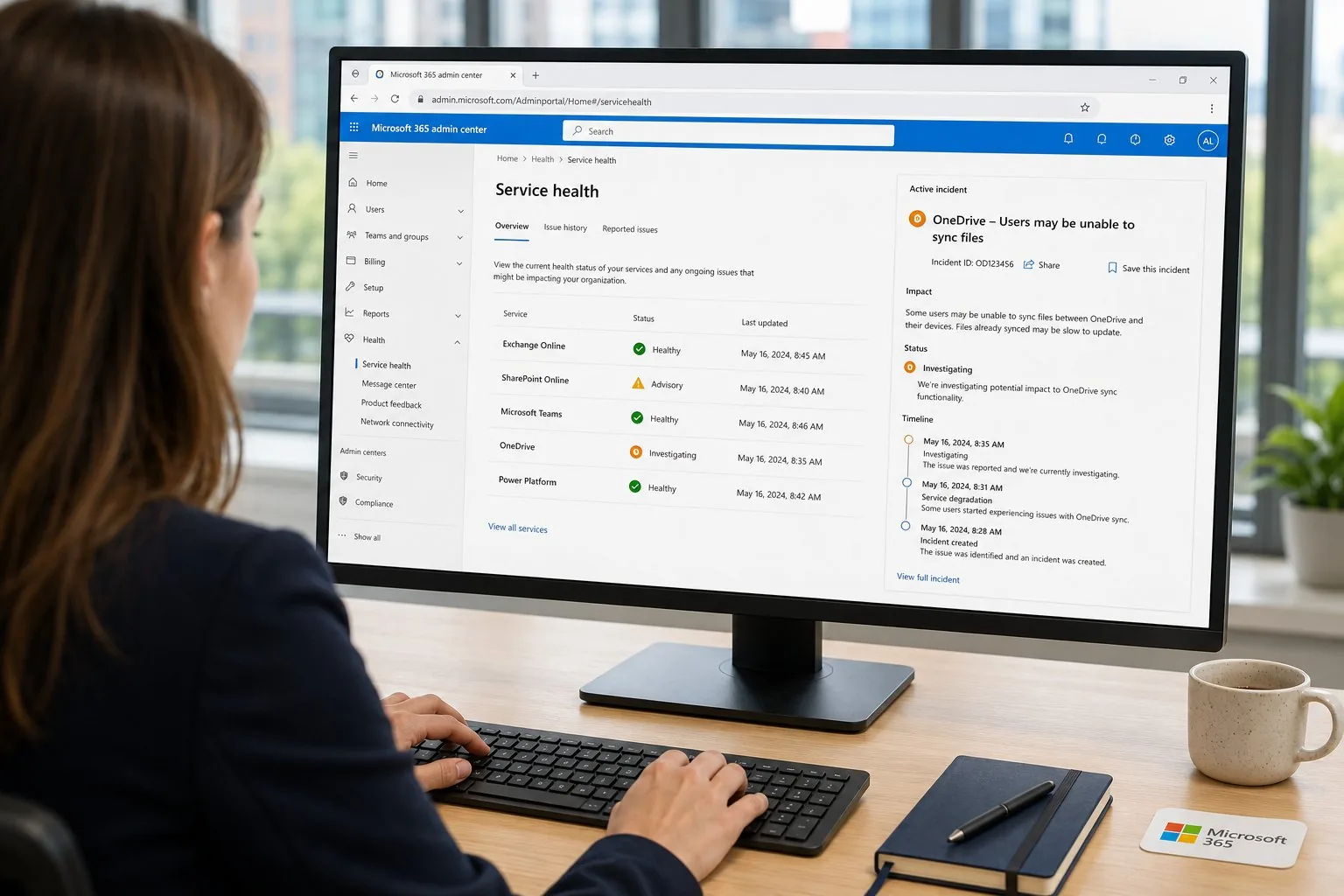
Troubleshooting Microsoft 365 follows a layered approach: verify service health (Microsoft 365 admin center), check user identity and licensing, validate conditional access policies, inspect transport and message trace for Exchange, use the Microsoft Connectivity Analyzer for hybrid scenarios, and pull diagnostic logs from Teams or SharePoint. Through MFE-IT’s hands-on approach, learners apply this methodology to realistic incident scenarios.
What tools are used for Microsoft 365 support?
Key tools for Microsoft 365 support include the Microsoft 365 admin center, Exchange admin center, Teams admin center, Microsoft Entra admin center, Microsoft Purview compliance portal, PowerShell modules (ExchangeOnlineManagement, MicrosoftTeams, Microsoft.Graph, AzureAD/MgGraph), Microsoft Support and Recovery Assistant (SaRA), and Microsoft 365 Defender. The MFE-IT Microsoft 365 Advanced Support training covers the most efficient use of each tool.
Is PowerShell required for Microsoft 365 admins?
Yes, PowerShell is essential for serious Microsoft 365 administration: bulk operations, advanced reporting, automation, and many configurations only available via PowerShell. The Microsoft Graph PowerShell SDK is now the recommended path, replacing the legacy AzureAD and MSOnline modules. Our MFE-IT training course on Microsoft 365 advanced support includes a strong PowerShell automation track.