
Microsoft Copilot Security and Governance Training Course
Key information
Upcoming sessions
Would you like to schedule this training on a specific date? Contact us by email or via the contact form.
Description of the training: Microsoft Copilot Security and Governance Training Course
This strategic training is designed for IT teams who want to deploy Microsoft 365 Copilot in a secure, compliant and controlled framework. You will learn to identify the risks associated with generative AI, prepare your Microsoft 365 environment, configure data protection policies (DLP, sensitivity labels) and define a robust AI governance framework for your organisation.
You may also be interested in our Microsoft Copilot Administration Training Course MS-4017, our Microsoft 365 Copilot Training Course, our Microsoft 365 Copilot and SharePoint Online Administration Training Course, our Microsoft Copilot Studio Training Course, our Business Agents with Microsoft MS-4019 Training Course, our SC-5009 Training Course: Securing AI Solutions in the Cloud and our Microsoft Copilot Immersion Training Course MS-4021.
Good to know
Our sessions are guaranteed from a single registrant, with no risk of postponement (except in cases of force majeure). A preliminary discussion takes place between the participant and/or a company representative to fully take into account the participant’s profile (level, needs, professional context, challenges, etc.).
Assessment: during the training, the trainer assesses participants’ progress through quizzes, role-play and practical exercises. Participants receive a certificate of completion at the end of the training.
This training is part of our Artificial Intelligence Training Courses catalogue. Discover our other AI training courses to make the most of the potential of artificial intelligence.
Objectives of the training: Microsoft Copilot Security and Governance Training Course
- Identify the risks associated with generative AI in the Microsoft 365 environment
- Prepare and secure the Microsoft 365 environment for the deployment of Copilot
- Configure DLP policies and appropriate sensitivity labels
- Define a complete AI governance framework for the enterprise
Prerequisites of the training: Microsoft Copilot Security and Governance Training Course
Experience in Microsoft 365 administration is required. A preliminary discussion with our expert tailors the content to your profile and goals.
Target audience of the training: Microsoft Copilot Security and Governance Training Course
CISOs, Microsoft 365 administrators, compliance managers, IT managers and security architects who want to govern the deployment of Copilot in their organisation.
Detailed programme of the training: Microsoft Copilot Security and Governance Training Course
Generative AI risks and Shadow AI
- Understand the information leakage risks associated with generative AI
- Identify Shadow AI threats (unauthorised use of AI tools)
- Assess the impact on the organisation’s security and compliance
Preparing the Microsoft 365 environment
- Manage Microsoft 365 Copilot licences and their assignment
- Configure user access securely
- Set up the environment for a controlled deployment
Data protection and confidentiality
- Implement data loss prevention (DLP) policies
- Configure sensitivity labels
- Manage access permissions to sensitive data
Enterprise AI governance
- Develop an internal AI usage charter
- Define roles and responsibilities for the use of Copilot
- Set up audit and monitoring mechanisms
Why choose this training
- focuses on Copilot security and governance
- covers access control, compliance and data protection
- emphasises enterprise AI governance
- prepares you to deploy Copilot in full compliance
FAQ
What is Copilot governance?
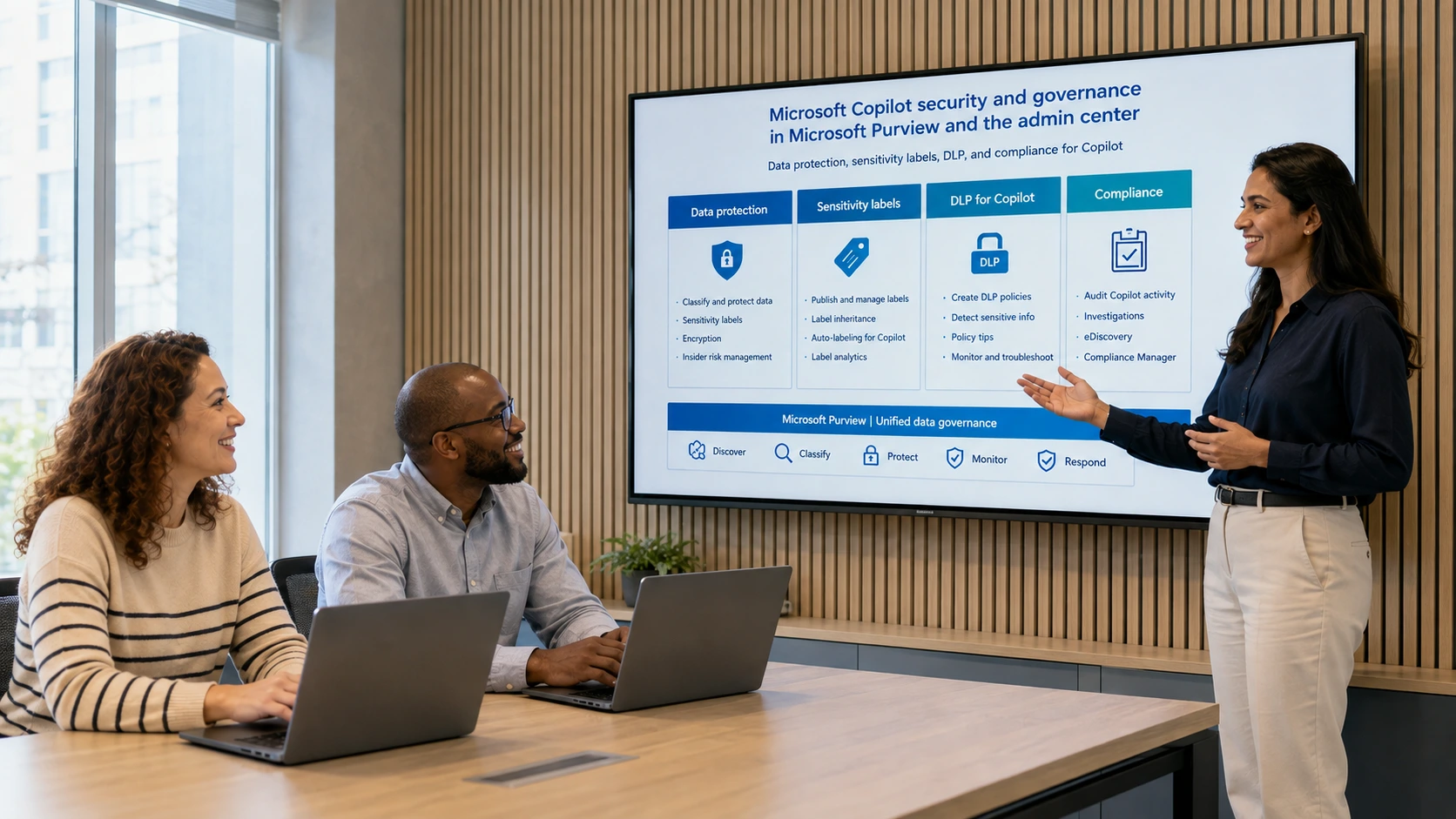
Microsoft 365 Copilot governance covers everything that protects the enterprise before and after deployment: SharePoint / OneDrive permissions, Purview labels, DLP, auditing and policies. At MFE-IT it is delivered in a small group and tailored to your context.
What specific Copilot risks need to be managed?
Inherited over-permissions, information leakage via summaries, exposure of poorly configured agents, broad sharing, unlabelled sensitive data, incomplete logs and AI shadow IT. The training helps you frame and mitigate these risks.
Which Microsoft tools are used?
Microsoft Purview (Information Protection, DLP, Insider Risk), Microsoft Entra ID, Defender for Cloud Apps, SharePoint Advanced Management, the Copilot Control System and Copilot administration.
How long is the training at MFE-IT?
The training lasts 1 day (6 hours), remotely or on-site. An intensive format for security, compliance and IT teams preparing a Copilot deployment.