
Copilot Declarative Agents Training Course
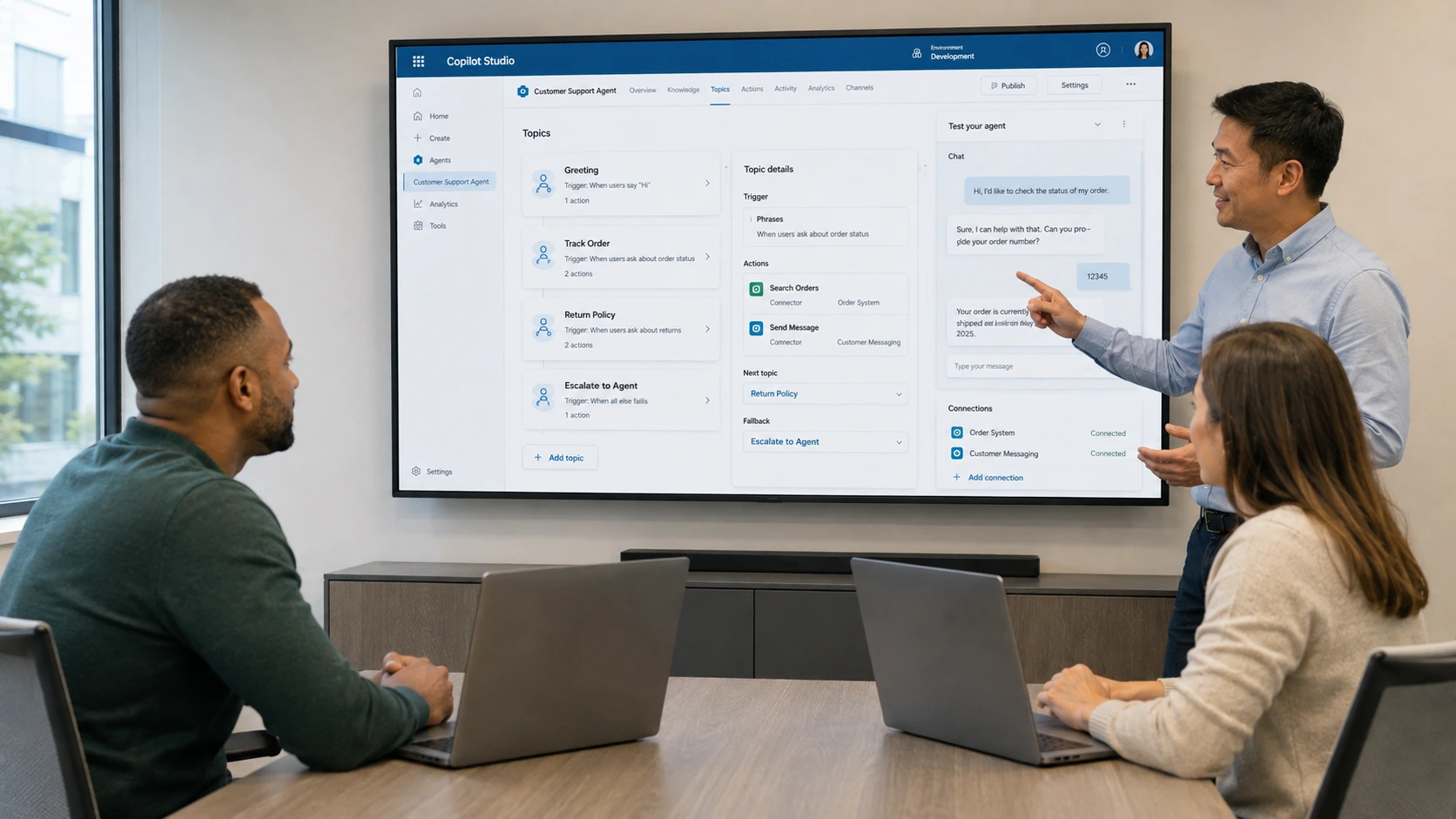
Key information
Upcoming sessions
Would you like to schedule this training on a specific date? Contact us by email or via the contact form.
Description of the training: Copilot Declarative Agents Training Course
A declarative Copilot agent is a custom Microsoft 365 Copilot agent described via a manifest: instructions, knowledge sources (SharePoint, sites, files), actions and behaviour, with no coding required. At MFE-IT, we show you how to design, test and publish these agents in your tenant for specific business uses.
What is the difference between a declarative agent and a full Copilot Studio agent?A declarative agent extends Microsoft 365 Copilot via a no-code manifest, quick to produce. A Copilot Studio agent allows richer logic (workflows, connectors, topics) but requires more configuration. MFE-IT helps you decide based on the business need and the level of automation sought.
What concrete use cases can a declarative agent cover?An HR assistant that searches internal policies, a sales agent connected to the product catalogue, a support agent based on your documentation, and many more. The training helps you identify and prototype the use cases with the highest value for your teams.
How long is the Copilot Declarative Agents training at MFE-IT?The training lasts 1 day (6 hours), delivered remotely or on-site. A practical, prototyping-oriented format, so you leave with a first working declarative agent.
{"@context":"https://schema.org","@type":"FAQPage","mainEntity":[{"@type":"Question","name":"What is a declarative Copilot agent?","acceptedAnswer":{"@type":"Answer","text":"A declarative Copilot agent is a custom Microsoft 365 Copilot agent described via a manifest: instructions, knowledge sources (SharePoint, sites, files), actions and behaviour, with no coding required. At MFE-IT, we show you how to design, test and publish these agents in your tenant for specific business uses."}},{"@type":"Question","name":"What is the difference between a declarative agent and a full Copilot Studio agent?","acceptedAnswer":{"@type":"Answer","text":"A declarative agent extends Microsoft 365 Copilot via a no-code manifest, quick to produce. A Copilot Studio agent allows richer logic (workflows, connectors, topics) but requires more configuration. MFE-IT helps you decide based on the business need and the level of automation sought."}},{"@type":"Question","name":"What concrete use cases can a declarative agent cover?","acceptedAnswer":{"@type":"Answer","text":"An HR assistant that searches internal policies, a sales agent connected to the product catalogue, a support agent based on your documentation, and many more. The training helps you identify and prototype the use cases with the highest value for your teams."}},{"@type":"Question","name":"How long is the Copilot Declarative Agents training at MFE-IT?","acceptedAnswer":{"@type":"Answer","text":"The training lasts 1 day (6 hours), delivered remotely or on-site. A practical, prototyping-oriented format, so you leave with a first working declarative agent."}}]} .elementor-accordion .elementor-tab-title .elementor-accordion-icon{margin-right:10px}.elementor-accordion .elementor-tab-title .elementor-accordion-icon + a,.elementor-accordion .elementor-tab-title .elementor-accordion-title{padding-left:4px}Good to know
Our sessions are guaranteed from a single registrant, with no risk of postponement (except in cases of force majeure). A prior interview takes place between the participant and a company representative to fully take into account the participant’s profile (level, needs, professional context, challenges, etc.). Evaluation: during the training, the trainer assesses participants’ learning progress through quizzes, role-plays and practical exercises. Participants receive a certificate of achievement at the end of the training. This training is part of our catalogue. Discover our other AI training courses to fully harness the potential of machine learning, LLMs and generative AI.
Objectives of the training: Copilot Declarative Agents Training Course
- Understand the concept and role of declarative agents for Microsoft 365 Copilot
- Design and build a first declarative agent using Copilot Studio
- Explore the different types of actions available to enrich declarative agents
- Configure quick actions (prompts) to customise an agent’s behaviour
- Integrate connector actions to extend a declarative agent’s capabilities
Prerequisites of the training: Copilot Declarative Agents Training Course
A good knowledge of Microsoft Copilot for Microsoft 365 is required. A prior interview with our trainer allows us to assess your level and tailor the content to your professional expectations.
Target audience of the training: Copilot Declarative Agents Training Course
Developers, app makers and professionals wishing to extend the capabilities of Microsoft 365 Copilot through custom declarative agents.
Detailed programme of the training: Copilot Declarative Agents Training Course
Understanding declarative agents for Microsoft 365 Copilot
- Identify scenarios where a declarative agent is the best approach to extend Microsoft 365 Copilot
- Understand the architecture and how the components of a declarative agent work
- Differentiate declarative agents from other Copilot extension methods
Building a first declarative agent with Copilot Studio
- Define and design a declarative agent addressing a concrete business need
- Implement an agent with custom knowledge and conversational instructions in Copilot Studio
- Configure and test the agent’s behaviour in a development environment
- Publish and deploy the agent
Exploring the actions available for declarative agents
- Grasp the concept of actions in Copilot Studio and their role in extending agents
- Distinguish the different categories of available actions (prompts, connectors, etc.)
- Identify relevant use cases for adding actions to a declarative agent
- Take into account the technical considerations for configuring actions
Configuring quick actions (prompts) in Copilot Studio
- Create and configure a prompt-type action in Copilot Studio
- Test and adjust a prompt’s behaviour to obtain the desired results
- Associate a prompt action with an existing declarative agent
Integrating connector actions into a declarative agent
- Create a connector action to access external data or services
- Set up and configure the connector action according to business needs
- Integrate the connector action into a declarative agent
- Test and validate the connector action works correctly within the agent
Course highlights
- Focuses on declarative Copilot agents
- Covers connector actions and integration
- Builds on hands-on workshops
- Prepares you to build custom declarative agents
FAQ
What is a declarative Copilot agent?
A declarative Copilot agent is a custom Microsoft 365 Copilot agent described via a manifest: instructions, knowledge sources (SharePoint, sites, files), actions and behaviour, with no coding required. At MFE-IT, we show you how to design, test and publish these agents in your tenant for specific business uses.
What is the difference between a declarative agent and a full Copilot Studio agent?
A declarative agent extends Microsoft 365 Copilot via a no-code manifest, quick to produce. A Copilot Studio agent allows richer logic (workflows, connectors, topics) but requires more configuration. MFE-IT helps you decide based on the business need and the level of automation sought.
What concrete use cases can a declarative agent cover?
An HR assistant that searches internal policies, a sales agent connected to the product catalogue, a support agent based on your documentation, and many more. The training helps you identify and prototype the use cases with the highest value for your teams.
How long is the Copilot Declarative Agents training at MFE-IT?
The training lasts 1 day (6 hours), delivered remotely or on-site. A practical, prototyping-oriented format, so you leave with a first working declarative agent.