
Power Query Training Course – Clean, merge, and automate your data without coding
Key information
Upcoming sessions
Would you like to schedule this training on a specific date? Contact us by email or via the contact form.
Description of the training: Power Query Training Course – Clean, merge, and automate your data without coding
Would you like to schedule this training course on a specific date ? Contact us by email or by filling out the contact form.
Contact us .elementor-14330 .elementor-element.elementor-element-21dedaf{--display:flex;--flex-direction:column;--container-widget-width:100%;--container-widget-height:initial;--container-widget-flex-grow:0;--container-widget-align-self:initial;--flex-wrap-mobile:wrap;--padding-top:50px;--padding-bottom:50px;--padding-left:0px;--padding-right:0px;}.elementor-14330 .elementor-element.elementor-element-21dedaf:not(.elementor-motion-effects-element-type-background), .elementor-14330 .elementor-element.elementor-element-21dedaf > .elementor-motion-effects-container > .elementor-motion-effects-layer{background-color:var( --e-global-color-primary );}.elementor-14330 .elementor-element.elementor-element-c833b3c .elementor-icon-list-icon i{color:var( --e-global-color-6ecb672 );transition:color 0.3s;}.elementor-14330 .elementor-element.elementor-element-c833b3c .elementor-icon-list-icon svg{fill:var( --e-global-color-6ecb672 );transition:fill 0.3s;}.elementor-14330 .elementor-element.elementor-element-c833b3c{--e-icon-list-icon-size:20px;--icon-vertical-offset:0px;}.elementor-14330 .elementor-element.elementor-element-c833b3c .elementor-icon-list-text{color:var( --e-global-color-7295773 );transition:color 0.3s;}.elementor-14330 .elementor-element.elementor-element-fc848b4{--grid-template-columns:repeat(0, auto);text-align:center;--icon-size:22px;--grid-column-gap:5px;--grid-row-gap:0px;}.elementor-14330 .elementor-element.elementor-element-fc848b4 .elementor-social-icon{background-color:#FF000000;--icon-padding:0em;}.elementor-14330 .elementor-element.elementor-element-fc848b4 .elementor-social-icon:hover i{color:var( --e-global-color-accent );}.elementor-14330 .elementor-element.elementor-element-fc848b4 .elementor-social-icon:hover svg{fill:var( --e-global-color-accent );}.elementor-14330 .elementor-element.elementor-element-4caf259 .menu-item a.hfe-menu-item{padding-left:15px;padding-right:15px;}.elementor-14330 .elementor-element.elementor-element-4caf259 .menu-item a.hfe-sub-menu-item{padding-left:calc( 15px + 20px );padding-right:15px;}.elementor-14330 .elementor-element.elementor-element-4caf259 .hfe-nav-menu__layout-vertical .menu-item ul ul a.hfe-sub-menu-item{padding-left:calc( 15px + 40px );padding-right:15px;}.elementor-14330 .elementor-element.elementor-element-4caf259 .hfe-nav-menu__layout-vertical .menu-item ul ul ul a.hfe-sub-menu-item{padding-left:calc( 15px + 60px );padding-right:15px;}.elementor-14330 .elementor-element.elementor-element-4caf259 .hfe-nav-menu__layout-vertical .menu-item ul ul ul ul a.hfe-sub-menu-item{padding-left:calc( 15px + 80px );padding-right:15px;}.elementor-14330 .elementor-element.elementor-element-4caf259 .menu-item a.hfe-menu-item, .elementor-14330 .elementor-element.elementor-element-4caf259 .menu-item a.hfe-sub-menu-item{padding-top:10px;padding-bottom:10px;}.elementor-14330 .elementor-element.elementor-element-4caf259 ul.sub-menu{width:220px;}.elementor-14330 .elementor-element.elementor-element-4caf259 .sub-menu a.hfe-sub-menu-item, .elementor-14330 .elementor-element.elementor-element-4caf259 nav.hfe-dropdown li a.hfe-menu-item, .elementor-14330 .elementor-element.elementor-element-4caf259 nav.hfe-dropdown li a.hfe-sub-menu-item, .elementor-14330 .elementor-element.elementor-element-4caf259 nav.hfe-dropdown-expandible li a.hfe-menu-item, .elementor-14330 .elementor-element.elementor-element-4caf259 nav.hfe-dropdown-expandible li a.hfe-sub-menu-item{padding-top:15px;padding-bottom:15px;}.elementor-14330 .elementor-element.elementor-element-4caf259 a.hfe-menu-item, .elementor-14330 .elementor-element.elementor-element-4caf259 a.hfe-sub-menu-item{font-family:"Poppins", Sans-serif;font-size:13px;font-weight:400;line-height:13px;}.elementor-14330 .elementor-element.elementor-element-4caf259 .menu-item a.hfe-menu-item, .elementor-14330 .elementor-element.elementor-element-4caf259 .sub-menu a.hfe-sub-menu-item{color:var( --e-global-color-7295773 );}.elementor-14330 .elementor-element.elementor-element-4caf259 .menu-item a.hfe-menu-item:hover, .elementor-14330 .elementor-element.elementor-element-4caf259 .sub-menu a.hfe-sub-menu-item:hover, .elementor-14330 .elementor-element.elementor-element-4caf259 .menu-item.current-menu-item a.hfe-menu-item, .elementor-14330 .elementor-element.elementor-element-4caf259 .menu-item a.hfe-menu-item.highlighted, .elementor-14330 .elementor-element.elementor-element-4caf259 .menu-item a.hfe-menu-item:focus{color:var( --e-global-color-accent );}.elementor-14330 .elementor-element.elementor-element-4caf259 .menu-item.current-menu-item a.hfe-menu-item, .elementor-14330 .elementor-element.elementor-element-4caf259 .menu-item.current-menu-ancestor a.hfe-menu-item{color:var( --e-global-color-accent );}.elementor-14330 .elementor-element.elementor-element-4caf259 .sub-menu, .elementor-14330 .elementor-element.elementor-element-4caf259 nav.hfe-dropdown, .elementor-14330 .elementor-element.elementor-element-4caf259 nav.hfe-dropdown-expandible, .elementor-14330 .elementor-element.elementor-element-4caf259 nav.hfe-dropdown .menu-item a.hfe-menu-item, .elementor-14330 .elementor-element.elementor-element-4caf259 nav.hfe-dropdown .menu-item a.hfe-sub-menu-item{background-color:#fff;}.elementor-14330 .elementor-element.elementor-element-4caf259 .sub-menu li.menu-item:not(:last-child), .elementor-14330 .elementor-element.elementor-element-4caf259 nav.hfe-dropdown li.menu-item:not(:last-child), .elementor-14330 .elementor-element.elementor-element-4caf259 nav.hfe-dropdown-expandible li.menu-item:not(:last-child){border-bottom-style:solid;border-bottom-color:#c4c4c4;border-bottom-width:1px;}- contact@mfe-it.com
This website only uses cookies that are strictly necessary for it to work. No advertising or audience-measurement trackers are set.
Got it#mfe-cookie-notice{position:fixed;left:0;right:0;bottom:0;z-index:99990;background:#fff;border-top:3px solid #07689F;box-shadow:0 -4px 20px rgba(16,42,67,.15)}#mfe-cookie-notice .mfe-cn-inner{max-width:1180px;margin:0 auto;padding:14px 22px;display:flex;align-items:center;gap:16px;flex-wrap:wrap}#mfe-cookie-notice .mfe-cn-text{margin:0;flex:1;min-width:240px;font-size:14px;color:#16232e;line-height:1.5}#mfe-cookie-notice .mfe-cn-link{color:#07689F;font-weight:700;text-decoration:underline}#mfe-cookie-notice .mfe-cn-ok{flex:0 0 auto;background:#07689F;color:#fff;border:none;border-radius:8px;padding:10px 22px;font-size:14px;font-weight:700;cursor:pointer;min-height:44px;min-width:44px}#mfe-cookie-notice .mfe-cn-ok:hover{background:#04547f}@media(max-width:600px){#mfe-cookie-notice .mfe-cn-ok{width:100%}}(function(){var n=document.getElementById("mfe-cookie-notice");if(!n)return;function has(k){return document.cookie.split(";").some(function(c){return c.trim().indexOf(k+"=")===0;});}if(!has("mfe_cookie_notice")){n.hidden=false;}var b=document.getElementById("mfe-cn-ok");if(b){b.addEventListener("click",function(){var d=new Date(Date.now()+15552000000).toUTCString();document.cookie="mfe_cookie_notice=1; expires="+d+"; path=/; SameSite=Lax";n.hidden=true;});}})();📝 Request a quote📞 Be called back💬A question?#mfe-fab{position:fixed;right:20px;bottom:20px;z-index:99980;display:flex;flex-direction:column;align-items:flex-end;gap:10px}#mfe-fab .mfe-fab-btn{display:inline-flex;align-items:center;gap:8px;background:#FF7E67;color:#fff;border:none;border-radius:999px;padding:12px 20px;font-size:15px;font-weight:700;cursor:pointer;box-shadow:0 8px 22px rgba(255,126,103,.45);min-height:48px}#mfe-fab .mfe-fab-btn:hover{background:#f4634a}#mfe-fab .mfe-fab-ico{font-size:18px;line-height:1}#mfe-fab .mfe-fab-menu{flex-direction:column;gap:8px;background:#fff;border:1px solid #e6edf3;border-radius:14px;padding:10px;box-shadow:0 12px 30px rgba(16,42,67,.18);min-width:230px}#mfe-fab .mfe-fab-item{display:flex;align-items:center;gap:10px;padding:12px 14px;border-radius:10px;color:#16232e;text-decoration:none;font-size:14px;font-weight:600;min-height:44px}#mfe-fab .mfe-fab-item:hover{background:#fff4f0;color:#07689F}#mfe-fab[data-open="1"] .mfe-fab-menu{display:flex}#mfe-fab[data-open="0"] .mfe-fab-menu{display:none}@media(max-width:600px){#mfe-fab{right:14px;bottom:14px}#mfe-fab .mfe-fab-label{display:none}#mfe-fab .mfe-fab-btn{padding:14px;border-radius:50%;min-width:56px;justify-content:center}}(function(){var fab=document.getElementById("mfe-fab");if(!fab)return;var btn=document.getElementById("mfe-fab-btn"),menu=document.getElementById("mfe-fab-menu");function op(o){fab.setAttribute("data-open",o?"1":"0");btn.setAttribute("aria-expanded",o?"true":"false");menu.hidden=!o;if(o){var a=menu.querySelector("a");if(a)a.focus();}}btn.addEventListener("click",function(e){e.stopPropagation();op(fab.getAttribute("data-open")!=="1");});document.addEventListener("click",function(e){if(!fab.contains(e.target))op(false);});document.addEventListener("keydown",function(e){if(e.key==="Escape"){op(false);btn.focus();}});function lift(){var n=document.getElementById("mfe-cookie-notice");var b=20;if(n&&!n.hidden){var hh=n.getBoundingClientRect().height;b=Math.min(hh+16,240);}fab.style.bottom=b+"px";}lift();window.addEventListener("resize",lift);setTimeout(lift,600);})();(function(){try{var L=document.querySelectorAll("a[target="_blank"]");for(var i=0;i<L.length;i++){var a=L[i];var r=(a.getAttribute("rel")||"").toLowerCase();if(r.indexOf("noopener")<0)r+=" noopener";if(r.indexOf("noreferrer")<0)r+=" noreferrer";a.setAttribute("rel",r.trim());}}catch(e){}})(); (function(){ var P='1.618 / 1'; function a(im){ if(!im || im.dataset.goldenImg) return; if(im.closest('header,footer,.elementor-location-header,.elementor-location-footer,#wpadminbar,nav,.elementor-widget-theme-site-logo,.site-logo')) return; var w=im.naturalWidth, h=im.naturalHeight; if(!w||!h) return; if(w/h < 1.4){ im.dataset.goldenImg='skip'; return; } im.style.setProperty('aspect-ratio', P, 'important'); im.style.setProperty('object-fit','cover','important'); im.style.setProperty('height','auto','important'); im.dataset.goldenImg='1'; } function s(){ document.querySelectorAll('img').forEach(function(im){ if(im.complete && im.naturalWidth) a(im); else im.addEventListener('load', function(){a(im);}, {once:true}); }); } if(document.readyState!=='loading') s(); else document.addEventListener('DOMContentLoaded', s); window.addEventListener('load', s); var t=false; function sch(){ if(t) return; t=true; setTimeout(function(){ t=false; s(); }, 300); } try{ new MutationObserver(sch).observe(document.documentElement,{childList:true,subtree:true}); }catch(e){} })(); (function() { 'use strict'; var parentSelector = '.menu-item.wpml-ls-current-language.menu-item-has-children'; function toggleSubmenu(link, forceClose) { var isExpanded = link.getAttribute('aria-expanded') === 'true'; if (forceClose || isExpanded) { link.setAttribute('aria-expanded', 'false'); } else { link.setAttribute('aria-expanded', 'true'); } } function handleKeydown(e) { var key = e.key || e.keyCode; if (key === 'Enter' || key === ' ' || key === 13 || key === 32) { e.preventDefault(); toggleSubmenu(this); } else if (key === 'Escape' || key === 'Esc' || key === 27) { if (this.getAttribute('aria-expanded') === 'true') { e.preventDefault(); toggleSubmenu(this, true); } } } function handleBlur(e) { var link = this; var parent = link.closest(parentSelector); if (!parent) return; setTimeout(function() { if (!parent.contains(document.activeElement)) { toggleSubmenu(link, true); } }, 100); } function init() { var parents = document.querySelectorAll(parentSelector); for (var i = 0; i < parents.length; i++) { var link = parents[i].querySelector('a[aria-expanded]'); if (link) { link.addEventListener('keydown', handleKeydown); link.addEventListener('blur', handleBlur); } } } if (document.readyState === 'loading') { document.addEventListener('DOMContentLoaded', init); } else { init(); } })();Good to know
This training course includes numerous exercises (60% practical) to enhance learning. Each session will take place even if only one person is registered (except in cases of force majeure). A preliminary interview is held between the participant and/or a company representative in order to fully assess the participant’s profile (level, needs, professional context, challenges, etc.).
Assessment : during the training course, the trainer assesses the participants’ progress through multiple-choice questions, role-playing exercises and practical work. Participants receive a certificate of completion at the end of the training course.
This training course is part of our Power Platform Training Courses. Explore our full Power Platform programme to automate, analyse and build no-code business applications.
Objectives of the training: Power Query Training Course – Clean, merge, and automate your data without coding
By the end, each participant will be able to :
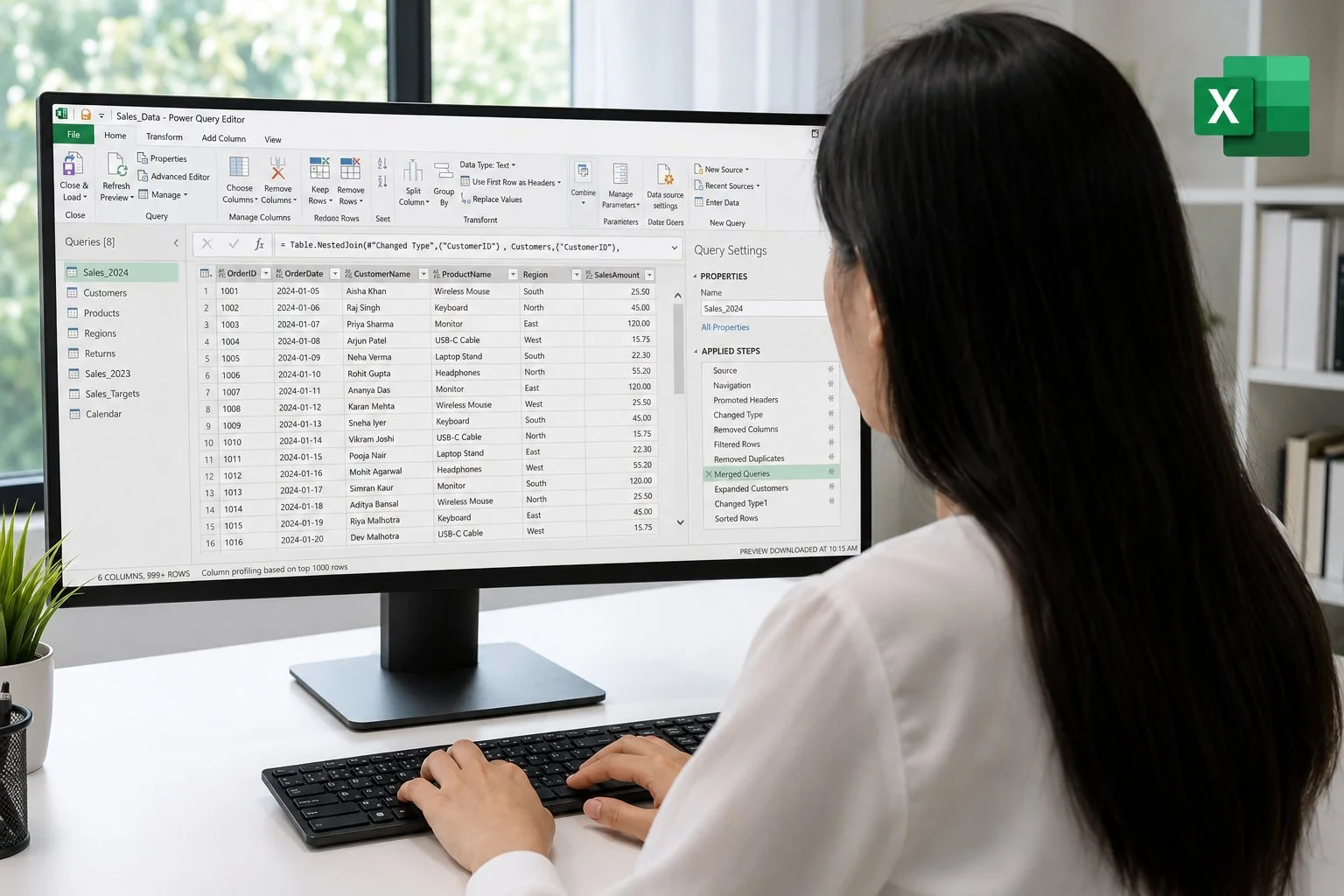
- Discover the Power Query interface in Excel and Power BI.
- Connect and import various data sources.
- Clean and transform data: filters, columns, formats, duplicates, etc.
- Merge and cross-reference tables (joins).
- Automate repetitive processes.
- Create reusable and documented queries.
Prerequisites of the training: Power Query Training Course – Clean, merge, and automate your data without coding
- Good command of Excel or Power BI (intermediate level).
- No programming knowledge required.
- Ability to handle data tables (files, exports, CRM, etc.).
- Because each participant is unique, a personalised interview with our expert allows us to design a training course that is perfectly aligned with their objectives, level and professional challenges.
Target audience of the training: Power Query Training Course – Clean, merge, and automate your data without coding
Designed for finance, HR, marketing, management, support, and analyst profiles, this introduction will save you valuable time.
Detailed programme of the training: Power Query Training Course – Clean, merge, and automate your data without coding
Understanding Power Query and its positioning
- Where to find Power Query (Excel, Power BI), typical use cases, ETL (Extract – Transform – Load) principles
Connecting to data sources
- Import from Excel, CSV, web, databases, network shares. Refreshes.
Data cleansing
- Delete columns, replace values, detect errors, standardise formats, manage duplicates.
Processing and enrichment
- Column splitting, adding conditional columns, grouping, dynamic formatting.
Data merging and cross-referencing
- Merging queries (joins), adding columns from other tables, multi-source grouping.
Automation and best practices
- Automatic refresh, step history, documentation, secure queries.
The advantages of this training course
- Is aimed at Excel/Power BI users who are not developers.
- Focuses on practical business applications rather than pure technical skills.
- Covers real-life scenarios involving file processing and exports.
- Provides a sustainable and automatable method for all departments.
FAQ
What is Power Query?
Power Query is Microsoft’s data preparation engine, built into Excel, Power BI Desktop and Fabric. It allows you to import, clean, transform and combine data from files, SQL databases, the web, SharePoint or APIs, via a visual interface and the M language. MFE-IT trains analysts to industrialize their data processing with Power Query.
What is the difference between Power Query and VBA macros in Excel?
Power Query provides a visual, step-by-step and reproducible approach to transforming data (ETL), whereas VBA macros rely on code and are more fragile to maintain. Power Query is also more performant on large volumes and compatible with Power BI. The MFE-IT training shows how to replace macros with maintainable Power Query queries.
What can you do with Power Query on a daily basis?
You can consolidate multiple Excel files, clean CSV exports, cross-reference sources (SQL, SharePoint, APIs), pivot and unpivot columns, add calculated columns, and schedule refreshes. MFE-IT covers concrete business use cases: financial reporting, HR, sales and operational monitoring.
How long is the Power Query introduction training at MFE-IT?
The training lasts 2 days (14 hours), remote or on-site, with a maximum of 3 participants per session and 30 days of post-training support included.