
Microsoft 365 Security Training Course
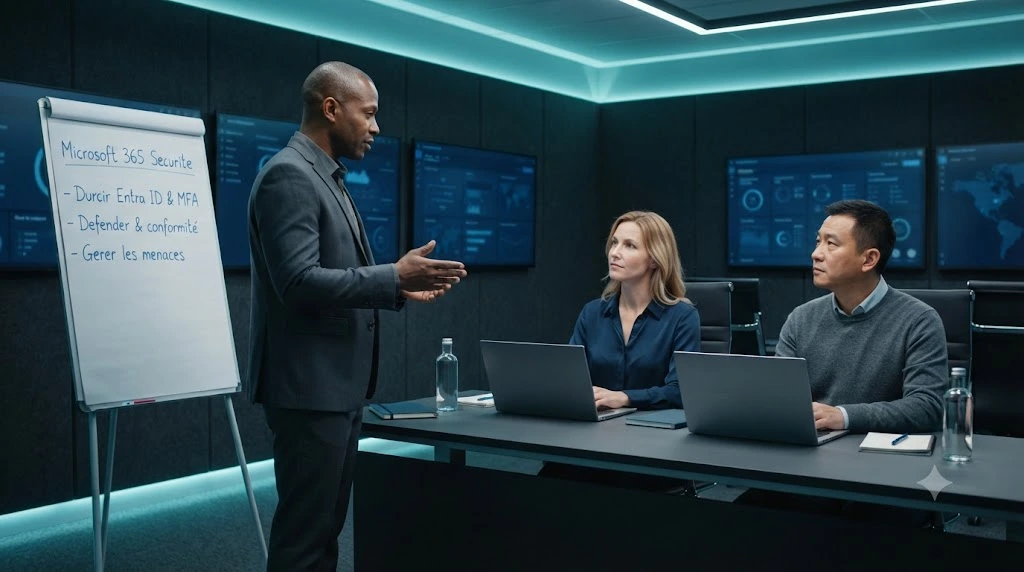
Key information
Upcoming sessions
Would you like to schedule this training on a specific date? Contact us by email or via the contact form.
Description of the training: Microsoft 365 Security Training Course
Would you like to schedule this Microsoft 365 Security Training Course on a specific date ? Contact us by email or by filling out the contact form.
Contact us {"@context":"https://schema.org","@type":"Course","name":"Microsoft 365 Security Training Course","description":"Microsoft 365 Security Training Course : Secure your cloud environment with this intensive bootcamp for IT administrators.","url":"https://mfe-it.com/en/microsoft-365-security-training-course/","inLanguage":"en","provider":{"@type":"Organization","name":"MFE-IT","url":"https://mfe-it.com/","sameAs":"https://mfe-it.com/"},"offers":{"@type":"Offer","category":"Professional training","priceCurrency":"EUR","availability":"https://schema.org/InStock"},"hasCourseInstance":{"@type":"CourseInstance","courseMode":"Onsite","courseWorkload":"P3D"}} .elementor-14330 .elementor-element.elementor-element-21dedaf{--display:flex;--flex-direction:column;--container-widget-width:100%;--container-widget-height:initial;--container-widget-flex-grow:0;--container-widget-align-self:initial;--flex-wrap-mobile:wrap;--padding-top:50px;--padding-bottom:50px;--padding-left:0px;--padding-right:0px;}.elementor-14330 .elementor-element.elementor-element-21dedaf:not(.elementor-motion-effects-element-type-background), .elementor-14330 .elementor-element.elementor-element-21dedaf > .elementor-motion-effects-container > .elementor-motion-effects-layer{background-color:var( --e-global-color-primary );}.elementor-14330 .elementor-element.elementor-element-c833b3c .elementor-icon-list-icon i{color:var( --e-global-color-6ecb672 );transition:color 0.3s;}.elementor-14330 .elementor-element.elementor-element-c833b3c .elementor-icon-list-icon svg{fill:var( --e-global-color-6ecb672 );transition:fill 0.3s;}.elementor-14330 .elementor-element.elementor-element-c833b3c{--e-icon-list-icon-size:20px;--icon-vertical-offset:0px;}.elementor-14330 .elementor-element.elementor-element-c833b3c .elementor-icon-list-text{color:var( --e-global-color-7295773 );transition:color 0.3s;}.elementor-14330 .elementor-element.elementor-element-fc848b4{--grid-template-columns:repeat(0, auto);text-align:center;--icon-size:22px;--grid-column-gap:5px;--grid-row-gap:0px;}.elementor-14330 .elementor-element.elementor-element-fc848b4 .elementor-social-icon{background-color:#FF000000;--icon-padding:0em;}.elementor-14330 .elementor-element.elementor-element-fc848b4 .elementor-social-icon:hover i{color:var( --e-global-color-accent );}.elementor-14330 .elementor-element.elementor-element-fc848b4 .elementor-social-icon:hover svg{fill:var( --e-global-color-accent );}.elementor-14330 .elementor-element.elementor-element-4caf259 .menu-item a.hfe-menu-item{padding-left:15px;padding-right:15px;}.elementor-14330 .elementor-element.elementor-element-4caf259 .menu-item a.hfe-sub-menu-item{padding-left:calc( 15px + 20px );padding-right:15px;}.elementor-14330 .elementor-element.elementor-element-4caf259 .hfe-nav-menu__layout-vertical .menu-item ul ul a.hfe-sub-menu-item{padding-left:calc( 15px + 40px );padding-right:15px;}.elementor-14330 .elementor-element.elementor-element-4caf259 .hfe-nav-menu__layout-vertical .menu-item ul ul ul a.hfe-sub-menu-item{padding-left:calc( 15px + 60px );padding-right:15px;}.elementor-14330 .elementor-element.elementor-element-4caf259 .hfe-nav-menu__layout-vertical .menu-item ul ul ul ul a.hfe-sub-menu-item{padding-left:calc( 15px + 80px );padding-right:15px;}.elementor-14330 .elementor-element.elementor-element-4caf259 .menu-item a.hfe-menu-item, .elementor-14330 .elementor-element.elementor-element-4caf259 .menu-item a.hfe-sub-menu-item{padding-top:10px;padding-bottom:10px;}.elementor-14330 .elementor-element.elementor-element-4caf259 ul.sub-menu{width:220px;}.elementor-14330 .elementor-element.elementor-element-4caf259 .sub-menu a.hfe-sub-menu-item, .elementor-14330 .elementor-element.elementor-element-4caf259 nav.hfe-dropdown li a.hfe-menu-item, .elementor-14330 .elementor-element.elementor-element-4caf259 nav.hfe-dropdown li a.hfe-sub-menu-item, .elementor-14330 .elementor-element.elementor-element-4caf259 nav.hfe-dropdown-expandible li a.hfe-menu-item, .elementor-14330 .elementor-element.elementor-element-4caf259 nav.hfe-dropdown-expandible li a.hfe-sub-menu-item{padding-top:15px;padding-bottom:15px;}.elementor-14330 .elementor-element.elementor-element-4caf259 a.hfe-menu-item, .elementor-14330 .elementor-element.elementor-element-4caf259 a.hfe-sub-menu-item{font-family:"Poppins", Sans-serif;font-size:13px;font-weight:400;line-height:13px;}.elementor-14330 .elementor-element.elementor-element-4caf259 .menu-item a.hfe-menu-item, .elementor-14330 .elementor-element.elementor-element-4caf259 .sub-menu a.hfe-sub-menu-item{color:var( --e-global-color-7295773 );}.elementor-14330 .elementor-element.elementor-element-4caf259 .menu-item a.hfe-menu-item:hover, .elementor-14330 .elementor-element.elementor-element-4caf259 .sub-menu a.hfe-sub-menu-item:hover, .elementor-14330 .elementor-element.elementor-element-4caf259 .menu-item.current-menu-item a.hfe-menu-item, .elementor-14330 .elementor-element.elementor-element-4caf259 .menu-item a.hfe-menu-item.highlighted, .elementor-14330 .elementor-element.elementor-element-4caf259 .menu-item a.hfe-menu-item:focus{color:var( --e-global-color-accent );}.elementor-14330 .elementor-element.elementor-element-4caf259 .menu-item.current-menu-item a.hfe-menu-item, .elementor-14330 .elementor-element.elementor-element-4caf259 .menu-item.current-menu-ancestor a.hfe-menu-item{color:var( --e-global-color-accent );}.elementor-14330 .elementor-element.elementor-element-4caf259 .sub-menu, .elementor-14330 .elementor-element.elementor-element-4caf259 nav.hfe-dropdown, .elementor-14330 .elementor-element.elementor-element-4caf259 nav.hfe-dropdown-expandible, .elementor-14330 .elementor-element.elementor-element-4caf259 nav.hfe-dropdown .menu-item a.hfe-menu-item, .elementor-14330 .elementor-element.elementor-element-4caf259 nav.hfe-dropdown .menu-item a.hfe-sub-menu-item{background-color:#fff;}.elementor-14330 .elementor-element.elementor-element-4caf259 .sub-menu li.menu-item:not(:last-child), .elementor-14330 .elementor-element.elementor-element-4caf259 nav.hfe-dropdown li.menu-item:not(:last-child), .elementor-14330 .elementor-element.elementor-element-4caf259 nav.hfe-dropdown-expandible li.menu-item:not(:last-child){border-bottom-style:solid;border-bottom-color:#c4c4c4;border-bottom-width:1px;}- contact@mfe-it.com
This website only uses cookies that are strictly necessary for it to work. No advertising or audience-measurement trackers are set.
Got it#mfe-cookie-notice{position:fixed;left:0;right:0;bottom:0;z-index:99990;background:#fff;border-top:3px solid #07689F;box-shadow:0 -4px 20px rgba(16,42,67,.15)}#mfe-cookie-notice .mfe-cn-inner{max-width:1180px;margin:0 auto;padding:14px 22px;display:flex;align-items:center;gap:16px;flex-wrap:wrap}#mfe-cookie-notice .mfe-cn-text{margin:0;flex:1;min-width:240px;font-size:14px;color:#16232e;line-height:1.5}#mfe-cookie-notice .mfe-cn-link{color:#07689F;font-weight:700;text-decoration:underline}#mfe-cookie-notice .mfe-cn-ok{flex:0 0 auto;background:#07689F;color:#fff;border:none;border-radius:8px;padding:10px 22px;font-size:14px;font-weight:700;cursor:pointer;min-height:44px;min-width:44px}#mfe-cookie-notice .mfe-cn-ok:hover{background:#04547f}@media(max-width:600px){#mfe-cookie-notice .mfe-cn-ok{width:100%}}(function(){var n=document.getElementById("mfe-cookie-notice");if(!n)return;function has(k){return document.cookie.split(";").some(function(c){return c.trim().indexOf(k+"=")===0;});}if(!has("mfe_cookie_notice")){n.hidden=false;}var b=document.getElementById("mfe-cn-ok");if(b){b.addEventListener("click",function(){var d=new Date(Date.now()+15552000000).toUTCString();document.cookie="mfe_cookie_notice=1; expires="+d+"; path=/; SameSite=Lax";n.hidden=true;});}})();📝 Request a quote📞 Be called back💬A question?#mfe-fab{position:fixed;right:20px;bottom:20px;z-index:99980;display:flex;flex-direction:column;align-items:flex-end;gap:10px}#mfe-fab .mfe-fab-btn{display:inline-flex;align-items:center;gap:8px;background:#FF7E67;color:#fff;border:none;border-radius:999px;padding:12px 20px;font-size:15px;font-weight:700;cursor:pointer;box-shadow:0 8px 22px rgba(255,126,103,.45);min-height:48px}#mfe-fab .mfe-fab-btn:hover{background:#f4634a}#mfe-fab .mfe-fab-ico{font-size:18px;line-height:1}#mfe-fab .mfe-fab-menu{flex-direction:column;gap:8px;background:#fff;border:1px solid #e6edf3;border-radius:14px;padding:10px;box-shadow:0 12px 30px rgba(16,42,67,.18);min-width:230px}#mfe-fab .mfe-fab-item{display:flex;align-items:center;gap:10px;padding:12px 14px;border-radius:10px;color:#16232e;text-decoration:none;font-size:14px;font-weight:600;min-height:44px}#mfe-fab .mfe-fab-item:hover{background:#fff4f0;color:#07689F}#mfe-fab[data-open="1"] .mfe-fab-menu{display:flex}#mfe-fab[data-open="0"] .mfe-fab-menu{display:none}@media(max-width:600px){#mfe-fab{right:14px;bottom:14px}#mfe-fab .mfe-fab-label{display:none}#mfe-fab .mfe-fab-btn{padding:14px;border-radius:50%;min-width:56px;justify-content:center}}(function(){var fab=document.getElementById("mfe-fab");if(!fab)return;var btn=document.getElementById("mfe-fab-btn"),menu=document.getElementById("mfe-fab-menu");function op(o){fab.setAttribute("data-open",o?"1":"0");btn.setAttribute("aria-expanded",o?"true":"false");menu.hidden=!o;if(o){var a=menu.querySelector("a");if(a)a.focus();}}btn.addEventListener("click",function(e){e.stopPropagation();op(fab.getAttribute("data-open")!=="1");});document.addEventListener("click",function(e){if(!fab.contains(e.target))op(false);});document.addEventListener("keydown",function(e){if(e.key==="Escape"){op(false);btn.focus();}});function lift(){var n=document.getElementById("mfe-cookie-notice");var b=20;if(n&&!n.hidden){var hh=n.getBoundingClientRect().height;b=Math.min(hh+16,240);}fab.style.bottom=b+"px";}lift();window.addEventListener("resize",lift);setTimeout(lift,600);})();(function(){try{var L=document.querySelectorAll("a[target="_blank"]");for(var i=0;i<L.length;i++){var a=L[i];var r=(a.getAttribute("rel")||"").toLowerCase();if(r.indexOf("noopener")<0)r+=" noopener";if(r.indexOf("noreferrer")<0)r+=" noreferrer";a.setAttribute("rel",r.trim());}}catch(e){}})(); (function(){ var P='1.618 / 1'; function a(im){ if(!im || im.dataset.goldenImg) return; if(im.closest('header,footer,.elementor-location-header,.elementor-location-footer,#wpadminbar,nav,.elementor-widget-theme-site-logo,.site-logo')) return; var w=im.naturalWidth, h=im.naturalHeight; if(!w||!h) return; if(w/h < 1.4){ im.dataset.goldenImg='skip'; return; } im.style.setProperty('aspect-ratio', P, 'important'); im.style.setProperty('object-fit','cover','important'); im.style.setProperty('height','auto','important'); im.dataset.goldenImg='1'; } function s(){ document.querySelectorAll('img').forEach(function(im){ if(im.complete && im.naturalWidth) a(im); else im.addEventListener('load', function(){a(im);}, {once:true}); }); } if(document.readyState!=='loading') s(); else document.addEventListener('DOMContentLoaded', s); window.addEventListener('load', s); var t=false; function sch(){ if(t) return; t=true; setTimeout(function(){ t=false; s(); }, 300); } try{ new MutationObserver(sch).observe(document.documentElement,{childList:true,subtree:true}); }catch(e){} })(); (function() { 'use strict'; var parentSelector = '.menu-item.wpml-ls-current-language.menu-item-has-children'; function toggleSubmenu(link, forceClose) { var isExpanded = link.getAttribute('aria-expanded') === 'true'; if (forceClose || isExpanded) { link.setAttribute('aria-expanded', 'false'); } else { link.setAttribute('aria-expanded', 'true'); } } function handleKeydown(e) { var key = e.key || e.keyCode; if (key === 'Enter' || key === ' ' || key === 13 || key === 32) { e.preventDefault(); toggleSubmenu(this); } else if (key === 'Escape' || key === 'Esc' || key === 27) { if (this.getAttribute('aria-expanded') === 'true') { e.preventDefault(); toggleSubmenu(this, true); } } } function handleBlur(e) { var link = this; var parent = link.closest(parentSelector); if (!parent) return; setTimeout(function() { if (!parent.contains(document.activeElement)) { toggleSubmenu(link, true); } }, 100); } function init() { var parents = document.querySelectorAll(parentSelector); for (var i = 0; i < parents.length; i++) { var link = parents[i].querySelector('a[aria-expanded]'); if (link) { link.addEventListener('keydown', handleKeydown); link.addEventListener('blur', handleBlur); } } } if (document.readyState === 'loading') { document.addEventListener('DOMContentLoaded', init); } else { init(); } })();Good to know
This training course includes numerous exercises (60% practical) to enhance learning. Each session will take place even if only one person is registered (except in cases of force majeure). A preliminary interview is held between the participant and/or a company representative in order to fully assess the participant’s profile (level, needs, professional context, challenges, etc.).
Assessment : during the training course, the trainer assesses the participants’ progress through multiple-choice questions, role-playing exercises and practical work. Participants receive a certificate of completion at the end of the training course.
This training course is part of our Must-have Training Courses. Discover our most popular IT trainings, demanded by clients across all skill levels from beginner to expert.
This training course is also part of our Cybersecurity Training. Discover our other cybersecurity courses to strengthen your IT system protection against current threats.
Objectives of the training: Microsoft 365 Security Training Course
By the end, each participant will be able to :
- Understand the key principles of cloud security. Know how to apply them effectively in the Microsoft 365 environment.
- Explore and master the Microsoft Defender ecosystem. This includes Identity, Endpoint, and Office components to secure users and devices.
- Implement advanced security strategies: multi-factor authentication, conditional access, and DLP (data loss prevention) policies.
- Use Microsoft Purview and Sentinel tools to investigate and respond to incidents in a structured manner.
- Deploy a security strategy based on the Zero Trust model. This will strengthen the organisation’s posture against threats in the long term.
- Participants will be able to manage the security of their Microsoft 365 environment proactively, consistently and in line with current standards.
Prerequisites of the training: Microsoft 365 Security Training Course
- A good understanding of the Microsoft 365 environment — including tenants, users and licences — is recommended.
- In addition, prior experience in IT administration or security, for example with Active Directory or identity management, will facilitate the assimilation of concepts.
- Furthermore, familiarity with Azure AD and key cloud security concepts is a valuable asset, although not essential.
- Because each participant has a unique background and expectations, a preliminary interview with our expert allows us to precisely identify their objectives, level and professional challenges. This enables us to tailor the training content to ensure relevant and personalised learning.
Target audience of the training: Microsoft 365 Security Training Course
Microsoft 365 administrators, IT managers, and security consultants.
Detailed programme of the training: Microsoft 365 Security Training Course
Security architecture in Microsoft 365
- Introduction to built-in security layers : identity, endpoints, data, applications.
- Overview of native security in M365.
Identity management and advanced MFA
- Azure AD configuration.
- MFA, Conditional Access.
- Role management and privileged account protection.
Microsoft Defender – Extended Protection
- Deployment and management of Microsoft Defender for Endpoint, for Office 365, and Identity.
- Practical cases of detection, alerts, and automated responses.
Data governance and leak prevention (DLP and Purview)
- DLP policy enforcement,
- Data classification,
- Integration with Microsoft Purview for GDPR compliance and auditing.
Monitoring, alerts and incident response
- Using the Security and Compliance Centre,
- the Microsoft 365 Defender Portal,
- Microsoft Sentinel to monitor and respond effectively
Implementation of a Zero Trust strategy
- segmentation,
- least privilege,
- continuous monitoring.
The advantages of this training course
- On the one hand, it adopts an approach that is both operational and strategic, not limiting itself to the use of tools, but integrating them into a truly coherent and deployable Zero Trust vision.
- Secondly, it places a strong emphasis on response and compliance, which are often overlooked in other training courses, including the use of Microsoft Purview and Microsoft Sentinel to meet regulatory requirements and manage incidents.
- Finally, its content is constantly updated to reflect the latest developments in the Microsoft Defender ecosystem, Azure AD and cloud security best practices.
- Participants therefore benefit from comprehensive training that is rooted in real-world experience and focused on the current challenges faced by IT administrators.
FAQ
What is Microsoft 365 security?
Microsoft 365 security encompasses all the native protection mechanisms built into the M365 offering: Microsoft Defender (Identity, Endpoint, Office), Microsoft Entra ID (MFA, conditional access, identity management), Microsoft Purview (DLP, classification, GDPR compliance) and Microsoft Sentinel (SIEM supervision). When properly configured, this set protects identities, devices, data and applications following a Zero Trust approach.
Is Microsoft 365 secure?
Microsoft 365 has powerful native security, but its actual level depends on the configuration implemented by the administrator. Without MFA, conditional access, DLP policies and Defender, a tenant remains exposed. The MFE-IT training course guides admins through complete implementation: identities, Defender, Purview, Sentinel and the Zero Trust model, moving from “default” security to a truly controlled posture.
How do you secure a Microsoft 365 account?
The fundamentals for securing an M365 account: (1) enable multi-factor authentication (MFA), (2) set up conditional access to control logins by context, (3) protect privileged accounts (PIM, dedicated roles), (4) deploy Microsoft Defender to detect threats. At organisation level, add data classification (Purview) and supervision (Sentinel). The MFE-IT training course covers these 5 pillars in practice.
How long does it take to master Microsoft 365 security?
To acquire a complete and operational overview, count on 3 days (21 hours). This is the format of the MFE-IT Microsoft 365 Security Bootcamp: architecture, identities/MFA, Defender, Purview/DLP, Sentinel and Zero Trust. With 60% practice, a maximum of 3 participants and a preliminary interview, you leave with a concrete security strategy applicable in your tenant.