
JMeter Performance Testing Training Course
Key information
Upcoming sessions
Would you like to schedule this training on a specific date? Contact us by email or via the contact form.
Description of the training: JMeter Performance Testing Training Course
Would you like to schedule this JMeter Performance Testing Training Course on a specific date ? Contact us by email or by filling out the contact form.
Contact us .elementor-14330 .elementor-element.elementor-element-21dedaf{--display:flex;--flex-direction:column;--container-widget-width:100%;--container-widget-height:initial;--container-widget-flex-grow:0;--container-widget-align-self:initial;--flex-wrap-mobile:wrap;--padding-top:50px;--padding-bottom:50px;--padding-left:0px;--padding-right:0px;}.elementor-14330 .elementor-element.elementor-element-21dedaf:not(.elementor-motion-effects-element-type-background), .elementor-14330 .elementor-element.elementor-element-21dedaf > .elementor-motion-effects-container > .elementor-motion-effects-layer{background-color:var( --e-global-color-primary );}.elementor-14330 .elementor-element.elementor-element-c833b3c .elementor-icon-list-icon i{color:var( --e-global-color-6ecb672 );transition:color 0.3s;}.elementor-14330 .elementor-element.elementor-element-c833b3c .elementor-icon-list-icon svg{fill:var( --e-global-color-6ecb672 );transition:fill 0.3s;}.elementor-14330 .elementor-element.elementor-element-c833b3c{--e-icon-list-icon-size:20px;--icon-vertical-offset:0px;}.elementor-14330 .elementor-element.elementor-element-c833b3c .elementor-icon-list-text{color:var( --e-global-color-7295773 );transition:color 0.3s;}.elementor-14330 .elementor-element.elementor-element-fc848b4{--grid-template-columns:repeat(0, auto);text-align:center;--icon-size:22px;--grid-column-gap:5px;--grid-row-gap:0px;}.elementor-14330 .elementor-element.elementor-element-fc848b4 .elementor-social-icon{background-color:#FF000000;--icon-padding:0em;}.elementor-14330 .elementor-element.elementor-element-fc848b4 .elementor-social-icon:hover i{color:var( --e-global-color-accent );}.elementor-14330 .elementor-element.elementor-element-fc848b4 .elementor-social-icon:hover svg{fill:var( --e-global-color-accent );}.elementor-14330 .elementor-element.elementor-element-4caf259 .menu-item a.hfe-menu-item{padding-left:15px;padding-right:15px;}.elementor-14330 .elementor-element.elementor-element-4caf259 .menu-item a.hfe-sub-menu-item{padding-left:calc( 15px + 20px );padding-right:15px;}.elementor-14330 .elementor-element.elementor-element-4caf259 .hfe-nav-menu__layout-vertical .menu-item ul ul a.hfe-sub-menu-item{padding-left:calc( 15px + 40px );padding-right:15px;}.elementor-14330 .elementor-element.elementor-element-4caf259 .hfe-nav-menu__layout-vertical .menu-item ul ul ul a.hfe-sub-menu-item{padding-left:calc( 15px + 60px );padding-right:15px;}.elementor-14330 .elementor-element.elementor-element-4caf259 .hfe-nav-menu__layout-vertical .menu-item ul ul ul ul a.hfe-sub-menu-item{padding-left:calc( 15px + 80px );padding-right:15px;}.elementor-14330 .elementor-element.elementor-element-4caf259 .menu-item a.hfe-menu-item, .elementor-14330 .elementor-element.elementor-element-4caf259 .menu-item a.hfe-sub-menu-item{padding-top:10px;padding-bottom:10px;}.elementor-14330 .elementor-element.elementor-element-4caf259 ul.sub-menu{width:220px;}.elementor-14330 .elementor-element.elementor-element-4caf259 .sub-menu a.hfe-sub-menu-item, .elementor-14330 .elementor-element.elementor-element-4caf259 nav.hfe-dropdown li a.hfe-menu-item, .elementor-14330 .elementor-element.elementor-element-4caf259 nav.hfe-dropdown li a.hfe-sub-menu-item, .elementor-14330 .elementor-element.elementor-element-4caf259 nav.hfe-dropdown-expandible li a.hfe-menu-item, .elementor-14330 .elementor-element.elementor-element-4caf259 nav.hfe-dropdown-expandible li a.hfe-sub-menu-item{padding-top:15px;padding-bottom:15px;}.elementor-14330 .elementor-element.elementor-element-4caf259 a.hfe-menu-item, .elementor-14330 .elementor-element.elementor-element-4caf259 a.hfe-sub-menu-item{font-family:"Poppins", Sans-serif;font-size:13px;font-weight:400;line-height:13px;}.elementor-14330 .elementor-element.elementor-element-4caf259 .menu-item a.hfe-menu-item, .elementor-14330 .elementor-element.elementor-element-4caf259 .sub-menu a.hfe-sub-menu-item{color:var( --e-global-color-7295773 );}.elementor-14330 .elementor-element.elementor-element-4caf259 .menu-item a.hfe-menu-item:hover, .elementor-14330 .elementor-element.elementor-element-4caf259 .sub-menu a.hfe-sub-menu-item:hover, .elementor-14330 .elementor-element.elementor-element-4caf259 .menu-item.current-menu-item a.hfe-menu-item, .elementor-14330 .elementor-element.elementor-element-4caf259 .menu-item a.hfe-menu-item.highlighted, .elementor-14330 .elementor-element.elementor-element-4caf259 .menu-item a.hfe-menu-item:focus{color:var( --e-global-color-accent );}.elementor-14330 .elementor-element.elementor-element-4caf259 .menu-item.current-menu-item a.hfe-menu-item, .elementor-14330 .elementor-element.elementor-element-4caf259 .menu-item.current-menu-ancestor a.hfe-menu-item{color:var( --e-global-color-accent );}.elementor-14330 .elementor-element.elementor-element-4caf259 .sub-menu, .elementor-14330 .elementor-element.elementor-element-4caf259 nav.hfe-dropdown, .elementor-14330 .elementor-element.elementor-element-4caf259 nav.hfe-dropdown-expandible, .elementor-14330 .elementor-element.elementor-element-4caf259 nav.hfe-dropdown .menu-item a.hfe-menu-item, .elementor-14330 .elementor-element.elementor-element-4caf259 nav.hfe-dropdown .menu-item a.hfe-sub-menu-item{background-color:#fff;}.elementor-14330 .elementor-element.elementor-element-4caf259 .sub-menu li.menu-item:not(:last-child), .elementor-14330 .elementor-element.elementor-element-4caf259 nav.hfe-dropdown li.menu-item:not(:last-child), .elementor-14330 .elementor-element.elementor-element-4caf259 nav.hfe-dropdown-expandible li.menu-item:not(:last-child){border-bottom-style:solid;border-bottom-color:#c4c4c4;border-bottom-width:1px;}- contact@mfe-it.com
This website only uses cookies that are strictly necessary for it to work. No advertising or audience-measurement trackers are set.
Got it#mfe-cookie-notice{position:fixed;left:0;right:0;bottom:0;z-index:99990;background:#fff;border-top:3px solid #07689F;box-shadow:0 -4px 20px rgba(16,42,67,.15)}#mfe-cookie-notice .mfe-cn-inner{max-width:1180px;margin:0 auto;padding:14px 22px;display:flex;align-items:center;gap:16px;flex-wrap:wrap}#mfe-cookie-notice .mfe-cn-text{margin:0;flex:1;min-width:240px;font-size:14px;color:#16232e;line-height:1.5}#mfe-cookie-notice .mfe-cn-link{color:#07689F;font-weight:700;text-decoration:underline}#mfe-cookie-notice .mfe-cn-ok{flex:0 0 auto;background:#07689F;color:#fff;border:none;border-radius:8px;padding:10px 22px;font-size:14px;font-weight:700;cursor:pointer;min-height:44px;min-width:44px}#mfe-cookie-notice .mfe-cn-ok:hover{background:#04547f}@media(max-width:600px){#mfe-cookie-notice .mfe-cn-ok{width:100%}}(function(){var n=document.getElementById("mfe-cookie-notice");if(!n)return;function has(k){return document.cookie.split(";").some(function(c){return c.trim().indexOf(k+"=")===0;});}if(!has("mfe_cookie_notice")){n.hidden=false;}var b=document.getElementById("mfe-cn-ok");if(b){b.addEventListener("click",function(){var d=new Date(Date.now()+15552000000).toUTCString();document.cookie="mfe_cookie_notice=1; expires="+d+"; path=/; SameSite=Lax";n.hidden=true;});}})();📝 Request a quote📞 Be called back💬A question?#mfe-fab{position:fixed;right:20px;bottom:20px;z-index:99980;display:flex;flex-direction:column;align-items:flex-end;gap:10px}#mfe-fab .mfe-fab-btn{display:inline-flex;align-items:center;gap:8px;background:#FF7E67;color:#fff;border:none;border-radius:999px;padding:12px 20px;font-size:15px;font-weight:700;cursor:pointer;box-shadow:0 8px 22px rgba(255,126,103,.45);min-height:48px}#mfe-fab .mfe-fab-btn:hover{background:#f4634a}#mfe-fab .mfe-fab-ico{font-size:18px;line-height:1}#mfe-fab .mfe-fab-menu{flex-direction:column;gap:8px;background:#fff;border:1px solid #e6edf3;border-radius:14px;padding:10px;box-shadow:0 12px 30px rgba(16,42,67,.18);min-width:230px}#mfe-fab .mfe-fab-item{display:flex;align-items:center;gap:10px;padding:12px 14px;border-radius:10px;color:#16232e;text-decoration:none;font-size:14px;font-weight:600;min-height:44px}#mfe-fab .mfe-fab-item:hover{background:#fff4f0;color:#07689F}#mfe-fab[data-open="1"] .mfe-fab-menu{display:flex}#mfe-fab[data-open="0"] .mfe-fab-menu{display:none}@media(max-width:600px){#mfe-fab{right:14px;bottom:14px}#mfe-fab .mfe-fab-label{display:none}#mfe-fab .mfe-fab-btn{padding:14px;border-radius:50%;min-width:56px;justify-content:center}}(function(){var fab=document.getElementById("mfe-fab");if(!fab)return;var btn=document.getElementById("mfe-fab-btn"),menu=document.getElementById("mfe-fab-menu");function op(o){fab.setAttribute("data-open",o?"1":"0");btn.setAttribute("aria-expanded",o?"true":"false");menu.hidden=!o;if(o){var a=menu.querySelector("a");if(a)a.focus();}}btn.addEventListener("click",function(e){e.stopPropagation();op(fab.getAttribute("data-open")!=="1");});document.addEventListener("click",function(e){if(!fab.contains(e.target))op(false);});document.addEventListener("keydown",function(e){if(e.key==="Escape"){op(false);btn.focus();}});function lift(){var n=document.getElementById("mfe-cookie-notice");var b=20;if(n&&!n.hidden){var hh=n.getBoundingClientRect().height;b=Math.min(hh+16,240);}fab.style.bottom=b+"px";}lift();window.addEventListener("resize",lift);setTimeout(lift,600);})();(function(){try{var L=document.querySelectorAll("a[target="_blank"]");for(var i=0;i<L.length;i++){var a=L[i];var r=(a.getAttribute("rel")||"").toLowerCase();if(r.indexOf("noopener")<0)r+=" noopener";if(r.indexOf("noreferrer")<0)r+=" noreferrer";a.setAttribute("rel",r.trim());}}catch(e){}})(); (function(){ var P='1.618 / 1'; function a(im){ if(!im || im.dataset.goldenImg) return; if(im.closest('header,footer,.elementor-location-header,.elementor-location-footer,#wpadminbar,nav,.elementor-widget-theme-site-logo,.site-logo')) return; var w=im.naturalWidth, h=im.naturalHeight; if(!w||!h) return; if(w/h < 1.4){ im.dataset.goldenImg='skip'; return; } im.style.setProperty('aspect-ratio', P, 'important'); im.style.setProperty('object-fit','cover','important'); im.style.setProperty('height','auto','important'); im.dataset.goldenImg='1'; } function s(){ document.querySelectorAll('img').forEach(function(im){ if(im.complete && im.naturalWidth) a(im); else im.addEventListener('load', function(){a(im);}, {once:true}); }); } if(document.readyState!=='loading') s(); else document.addEventListener('DOMContentLoaded', s); window.addEventListener('load', s); var t=false; function sch(){ if(t) return; t=true; setTimeout(function(){ t=false; s(); }, 300); } try{ new MutationObserver(sch).observe(document.documentElement,{childList:true,subtree:true}); }catch(e){} })(); (function() { 'use strict'; var parentSelector = '.menu-item.wpml-ls-current-language.menu-item-has-children'; function toggleSubmenu(link, forceClose) { var isExpanded = link.getAttribute('aria-expanded') === 'true'; if (forceClose || isExpanded) { link.setAttribute('aria-expanded', 'false'); } else { link.setAttribute('aria-expanded', 'true'); } } function handleKeydown(e) { var key = e.key || e.keyCode; if (key === 'Enter' || key === ' ' || key === 13 || key === 32) { e.preventDefault(); toggleSubmenu(this); } else if (key === 'Escape' || key === 'Esc' || key === 27) { if (this.getAttribute('aria-expanded') === 'true') { e.preventDefault(); toggleSubmenu(this, true); } } } function handleBlur(e) { var link = this; var parent = link.closest(parentSelector); if (!parent) return; setTimeout(function() { if (!parent.contains(document.activeElement)) { toggleSubmenu(link, true); } }, 100); } function init() { var parents = document.querySelectorAll(parentSelector); for (var i = 0; i < parents.length; i++) { var link = parents[i].querySelector('a[aria-expanded]'); if (link) { link.addEventListener('keydown', handleKeydown); link.addEventListener('blur', handleBlur); } } } if (document.readyState === 'loading') { document.addEventListener('DOMContentLoaded', init); } else { init(); } })();Good to know
This training course includes numerous exercises (60% practical) to enhance learning. Each session will take place even if only one person is registered (except in cases of force majeure). A preliminary interview is held between the participant and/or a company representative in order to fully assess the participant’s profile (level, needs, professional context, challenges, etc.).
Assessment : during the training course, the trainer assesses the participants’ progress through multiple-choice questions, role-playing exercises and practical work. Participants receive a certificate of completion at the end of the training course.
This training course is part of our Development Training Courses. Explore our other development trainings to design modern, performant and maintainable applications.
Objectives of the training: JMeter Performance Testing Training Course
By the end, each participant will be able to :
- Understand key performance testing concepts.
- Master the JMeter interface and components.
- Simulate user load on an API or website.
- Analyse response times, errors, network and back-end performance.
- Design complex scenarios with variables, assertions and timers.
- Generate clear and interpretable performance reports.
- Integrate tests into a CI/CD chain (GitLab, Jenkins, etc.).
Prerequisites of the training: JMeter Performance Testing Training Course
- Basic knowledge of HTTP, APIs or web development
- Comfortable working with files, environment variables and command lines
- Previous experience with functional testing is a plus
- Because each participant has a unique background and expectations, a preliminary interview with our expert allows us to precisely identify their objectives, level and professional challenges.
This enables us to tailor the training content to ensure relevant and personalised learning.
Target audience of the training: JMeter Performance Testing Training Course
This JMeter training course is perfect for QA teams, developers, and DevOps.
Detailed programme of the training: JMeter Performance Testing Training Course
Introduction to performance testing
- Types of tests: load, stress, endurance, spike.
- Key indicators: TPS, latency, error rate, throughput.
- Performance testing strategy and methodology.
Getting started with JMeter
- Graphical interface, test tree structure, plan management, user groups, main elements.
Creating simple scenarios
- HTTP GET/POST tests, data retrieval, virtual user configuration, result visualisation.
Variables, assertions, timers
- Dynamic configuration, content/time assertions, Think Time, realistic simulation of user behaviour.
Advanced tests and additional components
- REST/JSON API tests, database tests, FTP, JMS, chained tests, authentication.
Analysis of results and optimisation
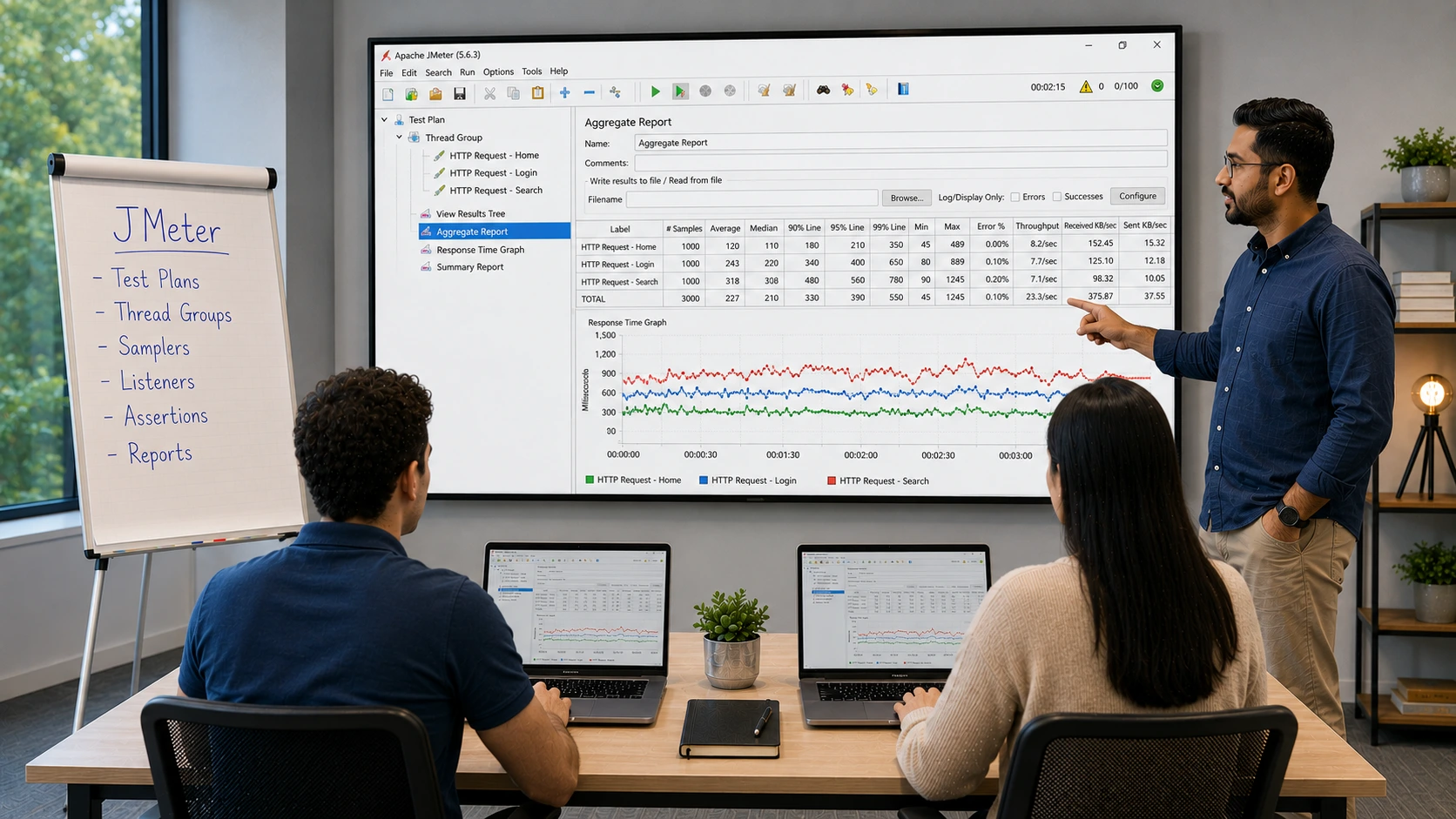
- Interpretation of reports, aggregation of results, identification of bottlenecks, technical recommendations.
Automation and CI/CD
- Command line execution, testing in a Jenkins/GitLab pipeline, automatic HTML report generation.
The advantages of this training course
- Covers the entire performance testing cycle, from simulation to analysis.
- Includes real-world examples (REST APIs, e-commerce sites, internal services).
- Offers a results-oriented approach with clear, actionable reports.
- Is compatible with all recent versions of JMeter and adaptable to your CI stacks.
FAQ
What is JMeter used for?
Apache JMeter is an open-source performance and load testing tool used to simulate concurrent users hitting web applications, APIs, databases, message queues, and other services. It measures response times, throughput, and error rates under load, helping teams find bottlenecks before production. JMeter is one of the most widely adopted load testing tools globally. MFE-IT trains testers and developers on building realistic JMeter test plans.
Is JMeter still relevant in 2027?
Yes, JMeter remains highly relevant in 2027 thanks to its open-source license, broad protocol coverage (HTTP, HTTPS, JDBC, JMS, FTP, gRPC), large plugin ecosystem, and integration with CI/CD pipelines and observability stacks. Newer tools like k6 and Gatling offer code-first alternatives, but JMeter’s GUI plus headless flexibility keeps it widely used. The MFE-IT JMeter Performance Testing training covers modern usage patterns including JMeter-as-code and Docker.
How do you create a JMeter test plan?
Creating a JMeter test plan starts with adding a Thread Group (defining virtual users and ramp-up), then HTTP Request samplers, listeners (for results), config elements (cookie manager, user-defined variables), assertions (response validations), and timers (for realistic pacing). Through MFE-IT’s hands-on approach, learners record real user journeys and convert them into parameterized, data-driven test plans.
What is the difference between JMeter and LoadRunner?
JMeter is open-source, Java-based, and free to use at any scale. LoadRunner (now OpenText) is commercial, with stronger enterprise support, broader protocol coverage, and tighter integration with MicroFocus / OpenText tooling at significant cost. The choice usually comes down to budget and existing tooling. Our MFE-IT training course on JMeter focuses on building production-grade test infrastructure with the open-source stack.