
Training Course Workspace ONE - The Fundamentals of Unified Device Management (UEM)
- Price
- Duration
- Number of hours
Each session will take place even if only one person is registered (except in cases of force majeure).
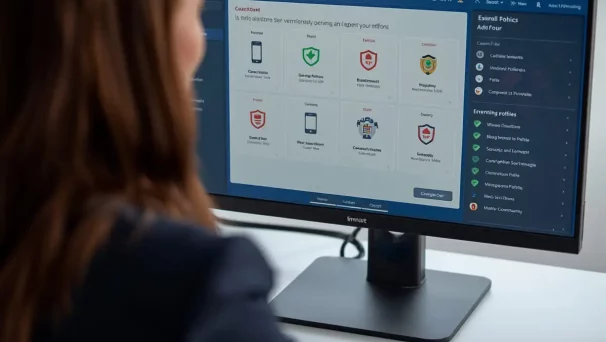
Description of the training course Workspace ONE
This training course Workspace ONE introduces you to the key concepts and first steps for getting started with Workspace ONE, to ensure successful deployment, initial configuration and security policies.
In a context where employees access company resources from any device, unified endpoint management (UEM) is essential for security, compliance and operational efficiency.
Workspace ONE, VMware’s UEM solution, enables you to remotely enrol, configure, secure and manage all types of devices (Windows, Android, iOS, macOS).
Also discover our MICROSOFT INTUNE TRAINING Course Intensive Hands-on Training and our Microsoft Intune Training Course.
Format
Remote (recorded sessions).
GOOD TO KNOW
This training course includes numerous exercises (60% practical) to enhance learning. Each session will take place even if only one person is registered (except in cases of force majeure). A preliminary interview is held between the participant and/or a company representative in order to fully assess the participant’s profile (level, needs, professional context, challenges, etc.).
Assessment : during the training course, the trainer assesses the participants’ progress through multiple-choice questions, role-playing exercises and practical work. Participants receive a certificate of completion at the end of the training course.
This training course is part of our Cloud Computing Training. Discover our other cloud trainings to master architectures, services and best practices on AWS, Microsoft Azure, VMware and Google Cloud Platform.
objectives of the Training Course Workspace ONE
By the end, each participant will be able to :
- Understand the principles of UEM with VMware Workspace ONE.
- Discover the architecture and key components (UEM Console, Hub, AirWatch).
- Learn how to enrol different types of devices (Windows, iOS, Android).
- Create and apply configuration and security profiles
- Manage applications, updates, and content
- Implement basic compliance policies
Prerequisites
- Basic knowledge of mobile device management concepts
- Familiarity with Windows, iOS or Android administration
- Understanding of identity and authentication concepts (Active Directory, SAML)
Because each participant has a unique background and expectations, a preliminary interview with our expert allows us to precisely identify their objectives, level and professional challenges.
This enables us to tailor the training content to ensure relevant and personalised learning.
Target Audience
System administrators, IT technicians, mobility engineers, or individuals retraining in fleet management tools.
Detailed of the training course Workspace ONE
Introduction to modern device management
Key concepts, architecture, positioning of Workspace ONE in the VMware ecosystem.
Administration console and dashboard
Introduction to the interface, navigation, organisation creation, initial configuration.
Terminal enrolment
Enrolment methods (QR Code, email, self-enrolment), Windows, Android, and iOS profiles.
Policy and restriction configuration
Security settings, VPN, Wi-Fi, mandatory apps, encryption, locking.
Application and content management
Deployment of internal and public apps, updates, control of corporate content.
Reporting and compliance
Workspace ONE reports and dashboards. Logs and diagnostic tools. Workspace ONE Intelligence and remediation.
The advantages of this training course
This training course :
- Is designed for complete beginners to Workspace ONE
- Provides a quick and practical introduction, without overwhelming participants with advanced concepts
- Is tailored to a gradual approach to developing IT skills
- Includes demonstrations, practical exercises and real-world configurations
FAQ – Workspace ONE Training
VMware Workspace ONE (now Omnissa Workspace ONE) is a Digital Workspace and Unified Endpoint Management (UEM) platform. It brings together in a single console the management of Windows/macOS workstations, iOS/Android smartphones, single sign-on (SSO), conditional access, application delivery and data security. The MFE-IT Workspace ONE training covers all these components, from device enrollment to compliance policies and integration with Azure AD / Entra ID.
Since 2024, the End-User Computing business unit of VMware (which included Workspace ONE and Horizon) was divested by Broadcom to the company Omnissa. The product is therefore now marketed under the Omnissa Workspace ONE brand, but the technology, roadmap and historical architects remain the same. The MFE-IT training is up to date with this change of ownership and recent product evolutions.
Workspace ONE is offered in several editions (Standard, Advanced, Enterprise, Enterprise for Frontline) billed per user/month, typically between $4 and $15 depending on features (UEM only, conditional access, Intelligence, Tunnel VPN, Hub Services). The actual cost depends on the number of users and modules chosen. The MFE-IT Workspace ONE training helps you size licenses correctly for your estate and usage to avoid over-provisioning.
WS1 is used to manage the full lifecycle of devices and applications in the enterprise: automated enrollment (BYOD, COPE, COBO), application delivery, security and compliance policies, conditional access to Microsoft 365 and SaaS resources, encryption, remote wipe and monitoring. It is a direct alternative to Microsoft Intune in multi-OS and multi-cloud environments. The MFE-IT training includes a practical Workspace ONE vs Intune comparison to support decision-making.
Would you like to know about upcoming sessions ?
Would you like to schedule this training course Workspace ONE on a specific date ? Contact us by email or by filling out the contact form.