
Linux Security Training Course – Auditing, hardening and protecting production systems
Key information
Upcoming sessions
Would you like to schedule this training on a specific date? Contact us by email or via the contact form.
Description of the training: Linux Security Training Course – Auditing, hardening and protecting production systems
Would you like to schedule this Linux Security Training Course on a specific date ? Contact us by email or by filling out the contact form.
Contact us .elementor-14330 .elementor-element.elementor-element-21dedaf{--display:flex;--flex-direction:column;--container-widget-width:100%;--container-widget-height:initial;--container-widget-flex-grow:0;--container-widget-align-self:initial;--flex-wrap-mobile:wrap;--padding-top:50px;--padding-bottom:50px;--padding-left:0px;--padding-right:0px;}.elementor-14330 .elementor-element.elementor-element-21dedaf:not(.elementor-motion-effects-element-type-background), .elementor-14330 .elementor-element.elementor-element-21dedaf > .elementor-motion-effects-container > .elementor-motion-effects-layer{background-color:var( --e-global-color-primary );}.elementor-14330 .elementor-element.elementor-element-c833b3c .elementor-icon-list-icon i{color:var( --e-global-color-6ecb672 );transition:color 0.3s;}.elementor-14330 .elementor-element.elementor-element-c833b3c .elementor-icon-list-icon svg{fill:var( --e-global-color-6ecb672 );transition:fill 0.3s;}.elementor-14330 .elementor-element.elementor-element-c833b3c{--e-icon-list-icon-size:20px;--icon-vertical-offset:0px;}.elementor-14330 .elementor-element.elementor-element-c833b3c .elementor-icon-list-text{color:var( --e-global-color-7295773 );transition:color 0.3s;}.elementor-14330 .elementor-element.elementor-element-fc848b4{--grid-template-columns:repeat(0, auto);text-align:center;--icon-size:22px;--grid-column-gap:5px;--grid-row-gap:0px;}.elementor-14330 .elementor-element.elementor-element-fc848b4 .elementor-social-icon{background-color:#FF000000;--icon-padding:0em;}.elementor-14330 .elementor-element.elementor-element-fc848b4 .elementor-social-icon:hover i{color:var( --e-global-color-accent );}.elementor-14330 .elementor-element.elementor-element-fc848b4 .elementor-social-icon:hover svg{fill:var( --e-global-color-accent );}.elementor-14330 .elementor-element.elementor-element-4caf259 .menu-item a.hfe-menu-item{padding-left:15px;padding-right:15px;}.elementor-14330 .elementor-element.elementor-element-4caf259 .menu-item a.hfe-sub-menu-item{padding-left:calc( 15px + 20px );padding-right:15px;}.elementor-14330 .elementor-element.elementor-element-4caf259 .hfe-nav-menu__layout-vertical .menu-item ul ul a.hfe-sub-menu-item{padding-left:calc( 15px + 40px );padding-right:15px;}.elementor-14330 .elementor-element.elementor-element-4caf259 .hfe-nav-menu__layout-vertical .menu-item ul ul ul a.hfe-sub-menu-item{padding-left:calc( 15px + 60px );padding-right:15px;}.elementor-14330 .elementor-element.elementor-element-4caf259 .hfe-nav-menu__layout-vertical .menu-item ul ul ul ul a.hfe-sub-menu-item{padding-left:calc( 15px + 80px );padding-right:15px;}.elementor-14330 .elementor-element.elementor-element-4caf259 .menu-item a.hfe-menu-item, .elementor-14330 .elementor-element.elementor-element-4caf259 .menu-item a.hfe-sub-menu-item{padding-top:10px;padding-bottom:10px;}.elementor-14330 .elementor-element.elementor-element-4caf259 ul.sub-menu{width:220px;}.elementor-14330 .elementor-element.elementor-element-4caf259 .sub-menu a.hfe-sub-menu-item, .elementor-14330 .elementor-element.elementor-element-4caf259 nav.hfe-dropdown li a.hfe-menu-item, .elementor-14330 .elementor-element.elementor-element-4caf259 nav.hfe-dropdown li a.hfe-sub-menu-item, .elementor-14330 .elementor-element.elementor-element-4caf259 nav.hfe-dropdown-expandible li a.hfe-menu-item, .elementor-14330 .elementor-element.elementor-element-4caf259 nav.hfe-dropdown-expandible li a.hfe-sub-menu-item{padding-top:15px;padding-bottom:15px;}.elementor-14330 .elementor-element.elementor-element-4caf259 a.hfe-menu-item, .elementor-14330 .elementor-element.elementor-element-4caf259 a.hfe-sub-menu-item{font-family:"Poppins", Sans-serif;font-size:13px;font-weight:400;line-height:13px;}.elementor-14330 .elementor-element.elementor-element-4caf259 .menu-item a.hfe-menu-item, .elementor-14330 .elementor-element.elementor-element-4caf259 .sub-menu a.hfe-sub-menu-item{color:var( --e-global-color-7295773 );}.elementor-14330 .elementor-element.elementor-element-4caf259 .menu-item a.hfe-menu-item:hover, .elementor-14330 .elementor-element.elementor-element-4caf259 .sub-menu a.hfe-sub-menu-item:hover, .elementor-14330 .elementor-element.elementor-element-4caf259 .menu-item.current-menu-item a.hfe-menu-item, .elementor-14330 .elementor-element.elementor-element-4caf259 .menu-item a.hfe-menu-item.highlighted, .elementor-14330 .elementor-element.elementor-element-4caf259 .menu-item a.hfe-menu-item:focus{color:var( --e-global-color-accent );}.elementor-14330 .elementor-element.elementor-element-4caf259 .menu-item.current-menu-item a.hfe-menu-item, .elementor-14330 .elementor-element.elementor-element-4caf259 .menu-item.current-menu-ancestor a.hfe-menu-item{color:var( --e-global-color-accent );}.elementor-14330 .elementor-element.elementor-element-4caf259 .sub-menu, .elementor-14330 .elementor-element.elementor-element-4caf259 nav.hfe-dropdown, .elementor-14330 .elementor-element.elementor-element-4caf259 nav.hfe-dropdown-expandible, .elementor-14330 .elementor-element.elementor-element-4caf259 nav.hfe-dropdown .menu-item a.hfe-menu-item, .elementor-14330 .elementor-element.elementor-element-4caf259 nav.hfe-dropdown .menu-item a.hfe-sub-menu-item{background-color:#fff;}.elementor-14330 .elementor-element.elementor-element-4caf259 .sub-menu li.menu-item:not(:last-child), .elementor-14330 .elementor-element.elementor-element-4caf259 nav.hfe-dropdown li.menu-item:not(:last-child), .elementor-14330 .elementor-element.elementor-element-4caf259 nav.hfe-dropdown-expandible li.menu-item:not(:last-child){border-bottom-style:solid;border-bottom-color:#c4c4c4;border-bottom-width:1px;}- contact@mfe-it.com
This website only uses cookies that are strictly necessary for it to work. No advertising or audience-measurement trackers are set.
Got it#mfe-cookie-notice{position:fixed;left:0;right:0;bottom:0;z-index:99990;background:#fff;border-top:3px solid #07689F;box-shadow:0 -4px 20px rgba(16,42,67,.15)}#mfe-cookie-notice .mfe-cn-inner{max-width:1180px;margin:0 auto;padding:14px 22px;display:flex;align-items:center;gap:16px;flex-wrap:wrap}#mfe-cookie-notice .mfe-cn-text{margin:0;flex:1;min-width:240px;font-size:14px;color:#16232e;line-height:1.5}#mfe-cookie-notice .mfe-cn-link{color:#07689F;font-weight:700;text-decoration:underline}#mfe-cookie-notice .mfe-cn-ok{flex:0 0 auto;background:#07689F;color:#fff;border:none;border-radius:8px;padding:10px 22px;font-size:14px;font-weight:700;cursor:pointer;min-height:44px;min-width:44px}#mfe-cookie-notice .mfe-cn-ok:hover{background:#04547f}@media(max-width:600px){#mfe-cookie-notice .mfe-cn-ok{width:100%}}(function(){var n=document.getElementById("mfe-cookie-notice");if(!n)return;function has(k){return document.cookie.split(";").some(function(c){return c.trim().indexOf(k+"=")===0;});}if(!has("mfe_cookie_notice")){n.hidden=false;}var b=document.getElementById("mfe-cn-ok");if(b){b.addEventListener("click",function(){var d=new Date(Date.now()+15552000000).toUTCString();document.cookie="mfe_cookie_notice=1; expires="+d+"; path=/; SameSite=Lax";n.hidden=true;});}})();📝 Request a quote📞 Be called back💬A question?#mfe-fab{position:fixed;right:20px;bottom:20px;z-index:99980;display:flex;flex-direction:column;align-items:flex-end;gap:10px}#mfe-fab .mfe-fab-btn{display:inline-flex;align-items:center;gap:8px;background:#FF7E67;color:#fff;border:none;border-radius:999px;padding:12px 20px;font-size:15px;font-weight:700;cursor:pointer;box-shadow:0 8px 22px rgba(255,126,103,.45);min-height:48px}#mfe-fab .mfe-fab-btn:hover{background:#f4634a}#mfe-fab .mfe-fab-ico{font-size:18px;line-height:1}#mfe-fab .mfe-fab-menu{flex-direction:column;gap:8px;background:#fff;border:1px solid #e6edf3;border-radius:14px;padding:10px;box-shadow:0 12px 30px rgba(16,42,67,.18);min-width:230px}#mfe-fab .mfe-fab-item{display:flex;align-items:center;gap:10px;padding:12px 14px;border-radius:10px;color:#16232e;text-decoration:none;font-size:14px;font-weight:600;min-height:44px}#mfe-fab .mfe-fab-item:hover{background:#fff4f0;color:#07689F}#mfe-fab[data-open="1"] .mfe-fab-menu{display:flex}#mfe-fab[data-open="0"] .mfe-fab-menu{display:none}@media(max-width:600px){#mfe-fab{right:14px;bottom:14px}#mfe-fab .mfe-fab-label{display:none}#mfe-fab .mfe-fab-btn{padding:14px;border-radius:50%;min-width:56px;justify-content:center}}(function(){var fab=document.getElementById("mfe-fab");if(!fab)return;var btn=document.getElementById("mfe-fab-btn"),menu=document.getElementById("mfe-fab-menu");function op(o){fab.setAttribute("data-open",o?"1":"0");btn.setAttribute("aria-expanded",o?"true":"false");menu.hidden=!o;if(o){var a=menu.querySelector("a");if(a)a.focus();}}btn.addEventListener("click",function(e){e.stopPropagation();op(fab.getAttribute("data-open")!=="1");});document.addEventListener("click",function(e){if(!fab.contains(e.target))op(false);});document.addEventListener("keydown",function(e){if(e.key==="Escape"){op(false);btn.focus();}});function lift(){var n=document.getElementById("mfe-cookie-notice");var b=20;if(n&&!n.hidden){var hh=n.getBoundingClientRect().height;b=Math.min(hh+16,240);}fab.style.bottom=b+"px";}lift();window.addEventListener("resize",lift);setTimeout(lift,600);})();(function(){try{var L=document.querySelectorAll("a[target="_blank"]");for(var i=0;i<L.length;i++){var a=L[i];var r=(a.getAttribute("rel")||"").toLowerCase();if(r.indexOf("noopener")<0)r+=" noopener";if(r.indexOf("noreferrer")<0)r+=" noreferrer";a.setAttribute("rel",r.trim());}}catch(e){}})(); (function(){ var P='1.618 / 1'; function a(im){ if(!im || im.dataset.goldenImg) return; if(im.closest('header,footer,.elementor-location-header,.elementor-location-footer,#wpadminbar,nav,.elementor-widget-theme-site-logo,.site-logo')) return; var w=im.naturalWidth, h=im.naturalHeight; if(!w||!h) return; if(w/h < 1.4){ im.dataset.goldenImg='skip'; return; } im.style.setProperty('aspect-ratio', P, 'important'); im.style.setProperty('object-fit','cover','important'); im.style.setProperty('height','auto','important'); im.dataset.goldenImg='1'; } function s(){ document.querySelectorAll('img').forEach(function(im){ if(im.complete && im.naturalWidth) a(im); else im.addEventListener('load', function(){a(im);}, {once:true}); }); } if(document.readyState!=='loading') s(); else document.addEventListener('DOMContentLoaded', s); window.addEventListener('load', s); var t=false; function sch(){ if(t) return; t=true; setTimeout(function(){ t=false; s(); }, 300); } try{ new MutationObserver(sch).observe(document.documentElement,{childList:true,subtree:true}); }catch(e){} })(); (function() { 'use strict'; var parentSelector = '.menu-item.wpml-ls-current-language.menu-item-has-children'; function toggleSubmenu(link, forceClose) { var isExpanded = link.getAttribute('aria-expanded') === 'true'; if (forceClose || isExpanded) { link.setAttribute('aria-expanded', 'false'); } else { link.setAttribute('aria-expanded', 'true'); } } function handleKeydown(e) { var key = e.key || e.keyCode; if (key === 'Enter' || key === ' ' || key === 13 || key === 32) { e.preventDefault(); toggleSubmenu(this); } else if (key === 'Escape' || key === 'Esc' || key === 27) { if (this.getAttribute('aria-expanded') === 'true') { e.preventDefault(); toggleSubmenu(this, true); } } } function handleBlur(e) { var link = this; var parent = link.closest(parentSelector); if (!parent) return; setTimeout(function() { if (!parent.contains(document.activeElement)) { toggleSubmenu(link, true); } }, 100); } function init() { var parents = document.querySelectorAll(parentSelector); for (var i = 0; i < parents.length; i++) { var link = parents[i].querySelector('a[aria-expanded]'); if (link) { link.addEventListener('keydown', handleKeydown); link.addEventListener('blur', handleBlur); } } } if (document.readyState === 'loading') { document.addEventListener('DOMContentLoaded', init); } else { init(); } })();Good to know
This training course includes numerous exercises (60% practical) to enhance learning. Even if you are the only one registered, the session will still take place (except in cases of force majeure). A preliminary interview is held between the participant and/or a company representative in order to fully assess the participant’s profile (level, needs, professional context, challenges, etc.).
Assessment : during the training course, the trainer assesses the participants’ progress through multiple-choice questions, role-playing exercises and practical work. Participants receive a certificate of completion at the end of the training course.
This training course is part of our Cybersecurity Training. Discover our other cybersecurity courses to strengthen your IT system protection against current threats.
This training course is also part of our Workstations Training Courses. Discover our other workstation trainings to deploy, administer and secure your fleet of Windows endpoints.
Objectives of the training: Linux Security Training Course – Auditing, hardening and protecting production systems
By the end, each participant will be able to :
- Identify common vulnerabilities in Linux systems.
- Implement a system hardening plan.
- Secure SSH access, users, and critical services.
- Implement effective logging and monitoring of abnormal behaviour.
- Configure a local firewall (iptables, ufw) and limit the attack surface.
- Perform automated security audits with open source tools.
Prerequisites of the training: Linux Security Training Course – Auditing, hardening and protecting production systems
- Have a solid foundation in Linux administration (user management, services, files, shell).
- Be comfortable with command lines and server environments.
- Basic network knowledge desirable.
Because each participant has a unique background and expectations, a preliminary interview with our expert allows us to precisely identify their objectives, level and professional challenges.
This enables us to tailor the training content to ensure relevant and personalised learning.
Target audience of the training: Linux Security Training Course – Auditing, hardening and protecting production systems
System administrators, IT technicians, security consultants, or DevSecOps teams seeking to strengthen the security of their Linux infrastructures — locally, in the cloud, or in a hybrid environment.
Detailed programme of the training: Linux Security Training Course – Auditing, hardening and protecting production systems
Initial assessment and Linux security principles
- Typical vulnerabilities, good security practices, secure system architecture, preliminary testing.
System hardening
- Removal of unnecessary services, locking of critical files, sysctl configuration, restriction of system rights.
User management and authentication
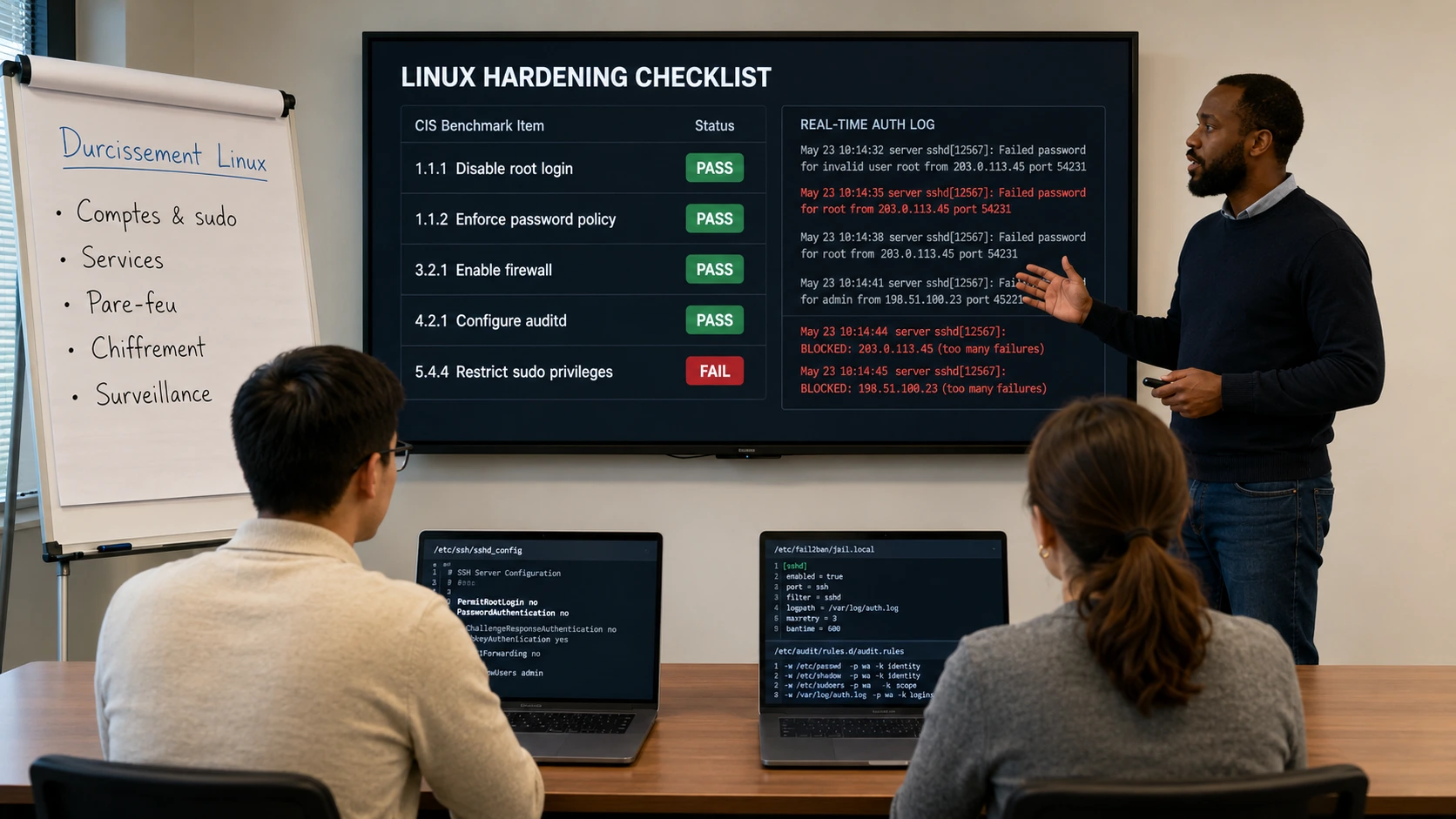
- Password policies, sudo restrictions, login logs, SSH key authentication, automatic banning (fail2ban).
Network security and firewalls
- Address and port filtering with iptables, ufw, secure SSH configuration, closing unnecessary ports.
Monitoring, alerts, and logging
- System logs (journalctl, rsyslog), rotation (logrotate), integration with monitoring tools or SIEM, anomaly detection.
Security audit and open source tools
- Vulnerability analysis with Lynis, Tiger, OpenSCAP. Automatic report generation and recommendations.
The advantages of this training course
- Production-oriented training : direct applicability
- Step-by-step ‘security checklist‘ methodology
- Based on open source tools used in business
- Adaptable to any type of Linux distribution : Debian, Ubuntu, RHEL, CentOS, etc.
FAQ
What is Linux security?
Linux security covers system hardening (CIS, ANSSI), permissions management (SELinux, AppArmor), encryption (LUKS, TLS), user and SSH management, firewall (nftables), audit (auditd), logging, and intrusion detection.
SELinux or AppArmor: which one to choose?
SELinux (Red Hat/CentOS/Rocky) is more granular but complex, AppArmor (Debian/Ubuntu) is easier to master. Both provide a mandatory protection layer that complements Unix permissions. MFE-IT compares the two and covers their administration.
How do you harden a Linux server in production?
Checklist: disable unused services, SSH via keys and restrict access, controlled sudoers, restrictive firewall, automatic updates, SELinux/AppArmor in enforcing mode, centralized audit logs, disk encryption, regular scans (Lynis, OpenSCAP). MFE-IT walks you through these steps.
How long does it take to master Linux security?
Our Linux Security training runs over 4 days (28 hours) in a 100% tailor-made format. This volume covers auditing, hardening, and defense-in-depth protection of Linux systems in production.