
Azure Stack HCI 23H2 Training Course–cloud-based deployment, Azure Arc and advanced hybrid management
Key information
Upcoming sessions
Would you like to schedule this training on a specific date? Contact us by email or via the contact form.
Description of the training: Azure Stack HCI 23H2 Training Course–cloud-based deployment, Azure Arc and advanced hybrid management
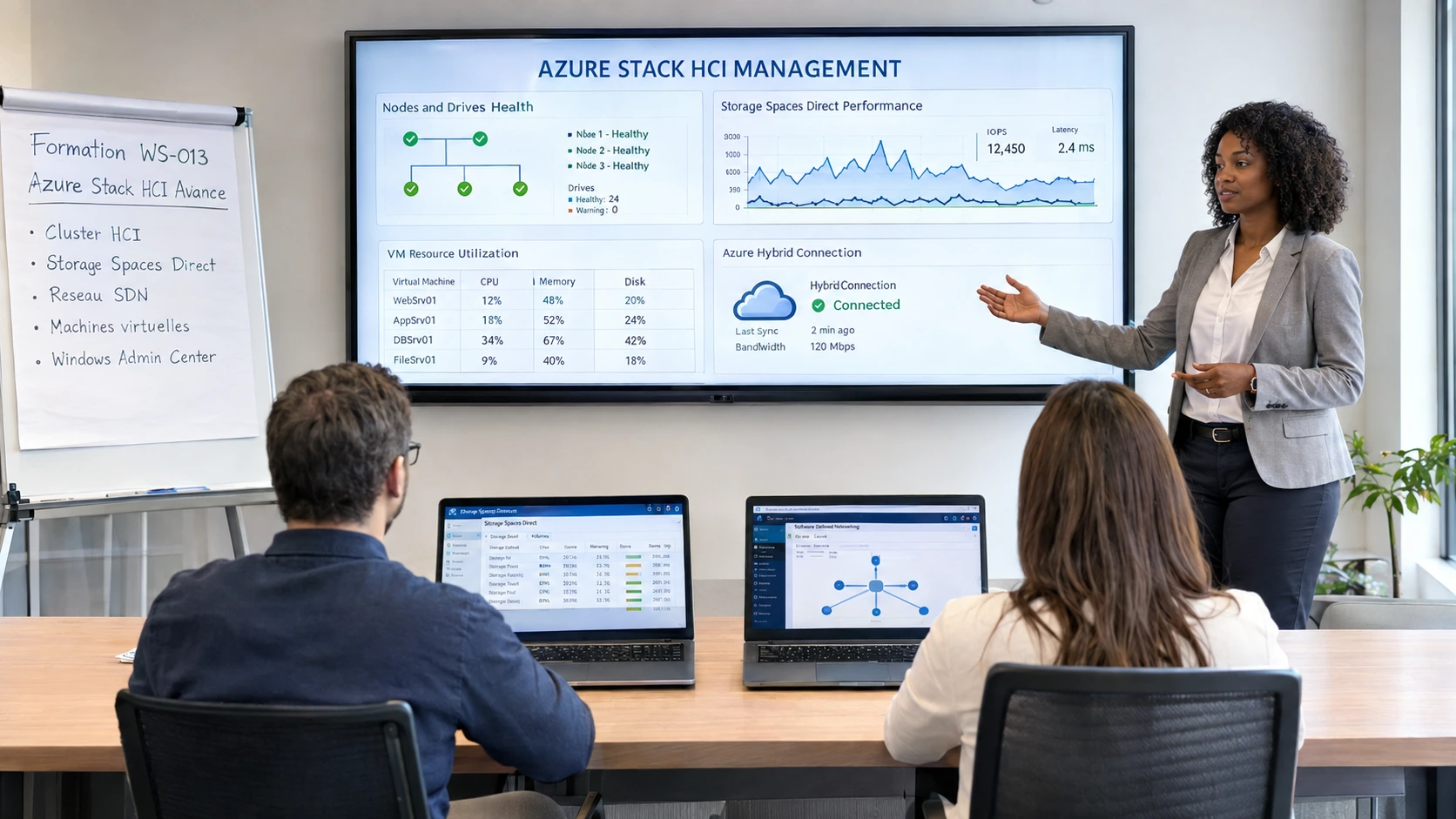
Azure Stack HCI is Microsoft’s hyperconverged (HCI) solution. It combines compute, storage (Storage Spaces Direct) and networking on standard servers, with Hyper-V and native Azure Arc integration. The 23H2 version introduces cloud-based deployment via Azure and fully hybrid management.
What is the difference between Azure Stack HCI, Azure Stack Hub and Azure Local?Azure Stack Hub is a full private Azure cloud in your datacenter. Azure Stack HCI is an on-prem HCI platform managed from Azure. Azure Local is the new name and next generation of the product. Our MFE-IT training positions each one precisely.
How does cloud-based deployment of HCI 23H2 work?The cluster is registered in Azure via Arc, then provisioned through the Azure portal or ARM/Bicep: hardware validation, network configuration, OS install, HCI activation, cluster and Azure join. This removes much of the manual work. MFE-IT walks through the process in a lab.
How long does it take to master Azure Stack HCI 23H2?Our WS013 Advanced Azure Stack HCI training runs over 3.5 days (21 hours) in a fully tailored format. This volume covers the design, implementation and full operation of hybrid infrastructures.
{"@context":"https://schema.org","@type":"FAQPage","mainEntity":[{"@type":"Question","name":"What is Azure Stack HCI?","acceptedAnswer":{"@type":"Answer","text":"Azure Stack HCI is Microsoft’s hyperconverged (HCI) solution. It combines compute, storage (Storage Spaces Direct) and networking on standard servers, with Hyper-V and native Azure Arc integration. The 23H2 version introduces cloud-based deployment via Azure and fully hybrid management."}},{"@type":"Question","name":"What is the difference between Azure Stack HCI, Azure Stack Hub and Azure Local?","acceptedAnswer":{"@type":"Answer","text":"Azure Stack Hub is a full private Azure cloud in your datacenter. Azure Stack HCI is an on-prem HCI platform managed from Azure. Azure Local is the new name and next generation of the product. Our MFE-IT training positions each one precisely."}},{"@type":"Question","name":"How does cloud-based deployment of HCI 23H2 work?","acceptedAnswer":{"@type":"Answer","text":"The cluster is registered in Azure via Arc, then provisioned through the Azure portal or ARM/Bicep: hardware validation, network configuration, OS install, HCI activation, cluster and Azure join. This removes much of the manual work. MFE-IT walks through the process in a lab."}},{"@type":"Question","name":"How long does it take to master Azure Stack HCI 23H2?","acceptedAnswer":{"@type":"Answer","text":"Our WS013 Advanced Azure Stack HCI training runs over 3.5 days (21 hours) in a fully tailored format. This volume covers the design, implementation and full operation of hybrid infrastructures."}}]} .elementor-accordion .elementor-tab-title .elementor-accordion-icon{margin-right:10px}.elementor-accordion .elementor-tab-title .elementor-accordion-icon + a,.elementor-accordion .elementor-tab-title .elementor-accordion-title{padding-left:4px}Good to know
Our sessions are guaranteed from a single registrant, with no risk of postponement (except in cases of force majeure). A prior interview takes place between the participant and a company representative to fully take into account the participant’s profile (level, needs, professional context, challenges, etc.). Evaluation: during the training, the trainer assesses participants’ learning progress through quizzes, role-plays and practical exercises. Participants receive a certificate of achievement at the end of the training. This training is part of our Cloud Computing training catalogue.
Objectives of the training: Azure Stack HCI 23H2 Training Course–cloud-based deployment, Azure Arc and advanced hybrid management
- By the end of the training, the participant will be able to:
- Understand the Azure Stack portfolio architecture and the distinctions between Azure Stack HCI, Hub and Edge.
- Master the core technologies, management tools and hybrid features of Azure Stack HCI.
- Plan, implement and manage a hyperconverged infrastructure (compute, storage and network) for virtualised workloads.
- Administer, maintain and optimise HCI clusters, integrating Azure services for unified management.
- Gain hands-on skills in software-defined storage, virtual networking and advanced QoS features.
Prerequisites of the training: Azure Stack HCI 23H2 Training Course–cloud-based deployment, Azure Arc and advanced hybrid management
Intermediate experience managing Windows Server and virtualised workloads. Knowledge of Microsoft compute, network and storage technologies. Basic PowerShell command and virtualisation concepts. Knowledge of Azure IaaS services is a plus, along with a cloud-hybridisation mindset. Because every participant is unique, a personalised interview with our expert lets us design a course perfectly aligned with their goals, level and professional challenges.
Target audience of the training: Azure Stack HCI 23H2 Training Course–cloud-based deployment, Azure Arc and advanced hybrid management
System administrators and infrastructure managers running Windows Server and virtualised environments. IT architects and engineers wishing to modernise their datacenter with Azure hybrid solutions. Cloud or DevOps engineers involved in hybrid deployments combining Azure and on-premises.
Detailed programme of the training: Azure Stack HCI 23H2 Training Course–cloud-based deployment, Azure Arc and advanced hybrid management
Introduction to Azure Stack HCI
- Overview of the Azure Stack portfolio (HCI, Hub, Edge), hybrid use cases, and differences from classic Azure.
Core technologies and management tools
- Hyper-V, Storage Spaces Direct (S2D), virtual networking (SDN). Primary deployment and management tool: the Azure portal (Azure Arc). Since version 23H2, Windows Admin Center is no longer the reference deployment tool–it remains usable for occasional tasks, but the Azure portal becomes the central control plane.
Planning and implementing an HCI cluster
- New cloud-based deployment model (Azure Stack HCI 23H2): no more classic install, deployment driven from the Azure portal via Azure Arc. Workload identification, hardware and network prerequisites, cluster registration in Azure, post-deployment validation. Comparison with the former Windows Admin Center deployment method.
Advanced storage
- Implementing Storage Spaces Direct, storage QoS, storage replication and maintenance.
Networking and SDN
- Network virtualisation, NIC teaming, software firewall, load balancing, advanced network services.
Operations, maintenance and Azure integration
- Day-to-day cluster management from the Azure portal via Azure Arc. Monitoring with Azure Monitor (metrics, alerts, dashboards). Orchestrated updates with Azure Update Manager (replacing Windows Admin Center for updates). Backups and disaster recovery, incident handling, performance optimisation.
Advanced scenarios and workloads
- Support for Windows and Linux virtual machines, containers, AKS (Azure Kubernetes Service) on Stack HCI, and resilience.
Capstone project
- Building a complete hybrid HCI infrastructure including storage, network, VMs, monitoring and optimisation.
Course highlights
- Focuses on advanced Azure Stack HCI administration
- Covers deployment, storage, networking and operations
- Builds on a hands-on capstone project
- Prepares you for the WS-013 objectives
FAQ
What is Azure Stack HCI?
Azure Stack HCI is Microsoft’s hyperconverged (HCI) solution. It combines compute, storage (Storage Spaces Direct) and networking on standard servers, with Hyper-V and native Azure Arc integration. The 23H2 version introduces cloud-based deployment via Azure and fully hybrid management.
What is the difference between Azure Stack HCI, Azure Stack Hub and Azure Local?
Azure Stack Hub is a full private Azure cloud in your datacenter. Azure Stack HCI is an on-prem HCI platform managed from Azure. Azure Local is the new name and next generation of the product. Our MFE-IT training positions each one precisely.
How does cloud-based deployment of HCI 23H2 work?
The cluster is registered in Azure via Arc, then provisioned through the Azure portal or ARM/Bicep: hardware validation, network configuration, OS install, HCI activation, cluster and Azure join. This removes much of the manual work. MFE-IT walks through the process in a lab.
How long does it take to master Azure Stack HCI 23H2?
Our WS013 Advanced Azure Stack HCI training runs over 3.5 days (21 hours) in a fully tailored format. This volume covers the design, implementation and full operation of hybrid infrastructures.