
Proxmox VE Training Course – Build and Operate an Open-Source Virtualisation Infrastructure
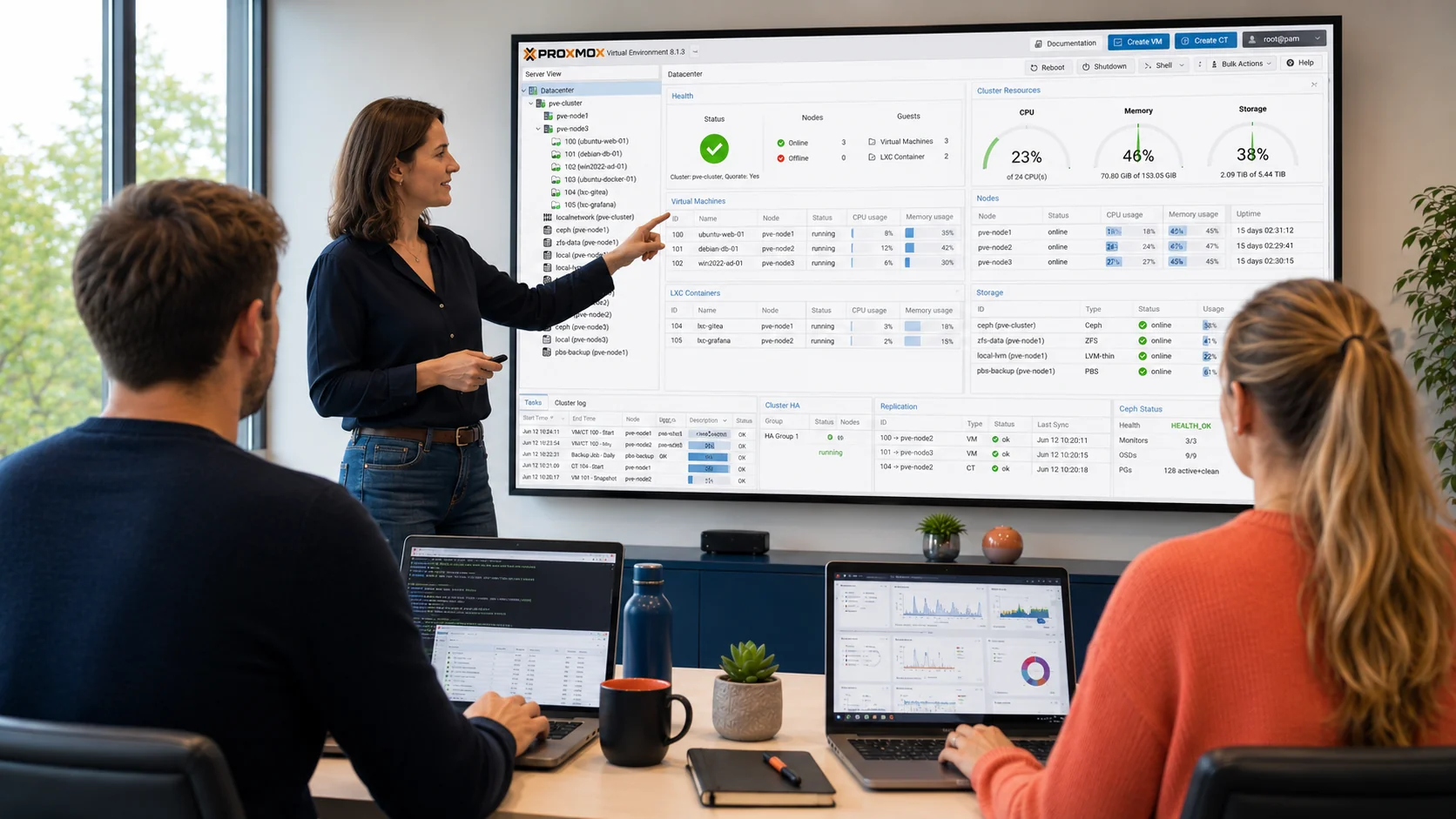
Key information
Upcoming sessions
Would you like to schedule this training on a specific date? Contact us by email or via the contact form.
Description of the training: Proxmox VE Training Course – Build and Operate an Open-Source Virtualisation Infrastructure
Yes. Proxmox VE is used in production by many organisations, from SMEs to hosting providers. It covers the essential needs of a virtualisation foundation: high availability, live migration, shared and hyperconverged storage, backup. The choice should still be prepared, however: sizing, skills development and storage strategy are decisive — and that is precisely what this course addresses.
Do you need a licence to use Proxmox?Proxmox VE is free software, usable without any blocking licence. A support subscription is available to access the stabilised enterprise repository and vendor support; it remains optional and unrelated to proprietary licensing models.
What is the difference between a virtual machine and a container?A VM (KVM) emulates a complete machine with its own kernel, ideal for isolating heterogeneous systems. An LXC container shares the host kernel: lighter and faster to start, it suits Linux services. Proxmox manages both in the same interface, and the course helps you choose according to the use case.
Can we migrate our VMware VMs to Proxmox without rebuilding everything?Yes, in most cases. Proxmox provides mechanisms to import and convert disks. Module 5 covers the full approach: inventory, conversion, cutover and checks, as well as common pitfalls (drivers, networking, migration order).
Does this course prepare for a certification?It aims at operational autonomy rather than an exam. It provides a solid foundation for anyone who then wishes to validate open-source virtualisation skills. MFE-IT is not an examination centre.
{"@context":"https://schema.org","@type":"FAQPage","mainEntity":[{"@type":"Question","name":"Is Proxmox a credible alternative to VMware in production?","acceptedAnswer":{"@type":"Answer","text":"Yes. Proxmox VE is used in production by many organisations, from SMEs to hosting providers. It covers the essential needs of a virtualisation foundation: high availability, live migration, shared and hyperconverged storage, backup. The choice should still be prepared, however: sizing, skills development and storage strategy are decisive — and that is precisely what this course addresses."}},{"@type":"Question","name":"Do you need a licence to use Proxmox?","acceptedAnswer":{"@type":"Answer","text":"Proxmox VE is free software, usable without any blocking licence. A support subscription is available to access the stabilised enterprise repository and vendor support; it remains optional and unrelated to proprietary licensing models."}},{"@type":"Question","name":"What is the difference between a virtual machine and a container?","acceptedAnswer":{"@type":"Answer","text":"A VM (KVM) emulates a complete machine with its own kernel, ideal for isolating heterogeneous systems. An LXC container shares the host kernel: lighter and faster to start, it suits Linux services. Proxmox manages both in the same interface, and the course helps you choose according to the use case."}},{"@type":"Question","name":"Can we migrate our VMware VMs to Proxmox without rebuilding everything?","acceptedAnswer":{"@type":"Answer","text":"Yes, in most cases. Proxmox provides mechanisms to import and convert disks. Module 5 covers the full approach: inventory, conversion, cutover and checks, as well as common pitfalls (drivers, networking, migration order)."}},{"@type":"Question","name":"Does this course prepare for a certification?","acceptedAnswer":{"@type":"Answer","text":"It aims at operational autonomy rather than an exam. It provides a solid foundation for anyone who then wishes to validate open-source virtualisation skills. MFE-IT is not an examination centre."}}]} .elementor-accordion .elementor-tab-title .elementor-accordion-icon{margin-right:10px}.elementor-accordion .elementor-tab-title .elementor-accordion-icon + a,.elementor-accordion .elementor-tab-title .elementor-accordion-title{padding-left:4px}Good to know
This course includes numerous exercises (60% hands-on) for better learning. Sessions are guaranteed from the first registrant (except in cases of force majeure). A preliminary interview takes place between the participant and/or a company contact in order to fully account for the participant’s profile (level, needs, professional context, challenges, etc.).
Assessment: during the course, the trainer assesses participants’ learning progress through quizzes, role-play scenarios and practical work. Participants receive a certificate of completion at the end of the course.
Objectives of the training: Proxmox VE Training Course – Build and Operate an Open-Source Virtualisation Infrastructure
By the end of the course, the participant will be able to:
- Position Proxmox VE within the virtualisation ecosystem and qualify its use cases.
- Install and configure a Proxmox host, then assemble a coherent multi-node cluster.
- Design and configure host and virtual-machine networking (bridge, bonding, VLAN, SDN, built-in firewall).
- Choose and implement the appropriate storage types (LVM, iSCSI, NFS, ZFS, Ceph).
- Create, clone and industrialise virtual machines and containers using templates.
- Secure the platform: account management, authentication, two-factor, rights delegation.
- Define and apply a backup and restore strategy with Proxmox Backup Server.
- Plan and carry out a migration from a VMware environment to Proxmox.
Prerequisites of the training: Proxmox VE Training Course – Build and Operate an Open-Source Virtualisation Infrastructure
Have a basic knowledge of virtualisation and be comfortable in a Debian/Ubuntu-type Linux environment (command line, networking). A discussion with the trainer beforehand makes it possible to adapt the pace and the labs to each participant’s profile.
Target audience of the training: Proxmox VE Training Course – Build and Operate an Open-Source Virtualisation Infrastructure
Systems and network administrators, infrastructure technicians and engineers, operations managers wishing to deploy or take over a Proxmox virtualisation foundation, particularly as part of a diversification or VMware exit strategy.
Detailed programme of the training: Proxmox VE Training Course – Build and Operate an Open-Source Virtualisation Infrastructure
Module 1 – Proxmox Foundation and First Host
- Positioning Proxmox VE: open-source philosophy, governance, support and subscription model.
- Virtualisation engines: KVM/QEMU for virtual machines, LXC for containers.
- Hardware choices: compatibility, sizing, recent and older hardware.
- Installing a host, getting started with the web interface and configuration files.
- Lab: installation and initial configuration of a Proxmox node.
Module 2 – Cluster and High Availability
- Cluster architecture, quorum and the role of nodes.
- Building a multi-node cluster with shared storage.
- Live migration of virtual machines, storage migration, load balancing (ProxLB approach).
- Lab: building a three-node cluster with an iSCSI array and an ISO image datastore.
Module 3 – Networking and Security
- Host and VM network design: Linux bridge, bonding, VLAN.
- Open vSwitch and software-defined networking (SDN) integrated into Proxmox.
- Built-in firewall: rules applied to nodes and virtual machines.
- Identity management: local accounts, directory integration, two-factor authentication, rights delegation.
- Lab: VLAN network segmentation and per-VM firewall rules.
Module 4 – Storage and Virtual Machines
- Storage overview: LVM, iSCSI, NFS, ZFS, Ceph, and NVMe-oF directions.
- Hyperconverged storage with Ceph: principles and implementation.
- VM and container lifecycle: creation, templates, cloning, support for legacy systems.
- Lab: deploying a ZFS / Ceph pool and industrialising VMs from templates.
Module 5 – Operations, Backup and Migration from VMware
- Update and lifecycle management of a cluster: maintenance mode, subscription.
- Backup and restore strategy: Proxmox Backup Server, integration of third-party solutions.
- VMware-to-Proxmox migration approach: inventory, VM conversion, cutover and points of attention.
- Lab: full backup and restore, then migration of a VM from a VMware environment.
Course Highlights
- A fully hands-on approach: a dedicated lab cluster and ~60% practice.
- A production-oriented through-line: cluster, shared storage, backup and migration from VMware.
- A small group (1 to 3 participants), guaranteed from the first registrant.
- An experienced trainer who adapts the labs to your context and your migration challenges.
FAQ
Is Proxmox a credible alternative to VMware in production?
Yes. Proxmox VE is used in production by many organisations, from SMEs to hosting providers. It covers the essential needs of a virtualisation foundation: high availability, live migration, shared and hyperconverged storage, backup. The choice should still be prepared, however: sizing, skills development and storage strategy are decisive — and that is precisely what this course addresses.
Do you need a licence to use Proxmox?
Proxmox VE is free software, usable without any blocking licence. A support subscription is available to access the stabilised enterprise repository and vendor support; it remains optional and unrelated to proprietary licensing models.
What is the difference between a virtual machine and a container?
A VM (KVM) emulates a complete machine with its own kernel, ideal for isolating heterogeneous systems. An LXC container shares the host kernel: lighter and faster to start, it suits Linux services. Proxmox manages both in the same interface, and the course helps you choose according to the use case.
Can we migrate our VMware VMs to Proxmox without rebuilding everything?
Yes, in most cases. Proxmox provides mechanisms to import and convert disks. Module 5 covers the full approach: inventory, conversion, cutover and checks, as well as common pitfalls (drivers, networking, migration order).
Does this course prepare for a certification?
It aims at operational autonomy rather than an exam. It provides a solid foundation for anyone who then wishes to validate open-source virtualisation skills. MFE-IT is not an examination centre.