
Power Automate Training Course – Automate Without Code
- Price
- Duration
- Number of hours
Each session will take place even if only one person is registered (except in cases of force majeure).
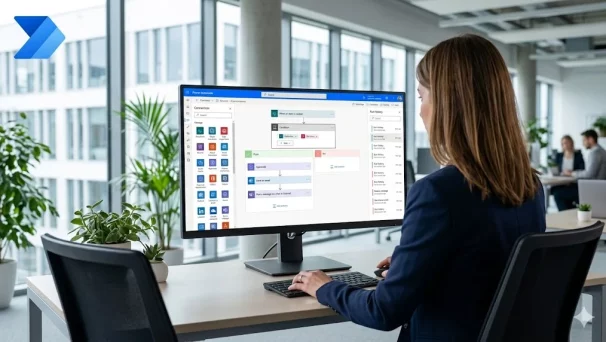
Description of this Power Automate training course
This Power Automate training course enables you to take action, step by step, to identify, design, and deploy smart flows, whether simple or complex, within Microsoft 365 and beyond.
Repetitive tasks slow down productivity in every department of the company. With Power Automate, anyone can design their own automations—without code—to send alerts, trigger validations, or integrate data between applications.
Also discover our Power Apps and Power Automate Training Course and our Power Apps Training Course.
Format
Remote (recorded sessions).
GOOD TO KNOW
This training course includes numerous exercises (60% practical) to enhance learning. Each session will take place even if only one person is registered (except in cases of force majeure). A preliminary interview is held between the participant and/or a company representative in order to fully assess the participant’s profile (level, needs, professional context, challenges, etc.).
Assessment : during the training course, the trainer assesses the participants’ progress through multiple-choice questions, role-playing exercises and practical work. Participants receive a certificate of completion at the end of the training course.
This training course is part of our Power Platform Training Courses. Explore our full Power Platform programme to automate, analyse and build no-code business applications.
objectives of this Power Automate training course
By the end, each participant will be able to :
- Understand the possibilities and logic of Power Automate.
- Create simple automated flows (alerts, synchronisation, reminders).
- Design multi-step workflows with conditions, approvals, and loops.
- Connect Power Automate to tools such as Outlook, SharePoint, Excel, Teams, Planner, and Forms.
- Monitor, debug, document, and improve your flows over time.
- Manage permissions, notifications, and errors with precision.
- Because each participant is unique, a personalised interview with our expert allows us to design a training course that is perfectly aligned with their objectives, level, and professional challenges.
Prerequisites
- Daily use of Microsoft 365 (Outlook, SharePoint, Teams).
- No need to know how to code.
- Be comfortable with conditional logic and simple automations.
Because each participant has a unique background and expectations, a preliminary interview with our expert allows us to precisely identify their objectives, level and professional challenges.
This enables us to tailor the training content to ensure relevant and personalised learning.
Target Audience
Accessible to business, HR, administrative, support, project manager, or non-developer IT profiles.
Detailed of this Power Automate training course
Introduction to Power Automate
Positioning in the Microsoft Power Platform. Cloud flows vs Power Automate Desktop (RPA). Common business automation use cases.
Building Your First Flows
Triggers (scheduled, automated, manual). Standard connectors (Outlook, SharePoint, Teams, Excel). Actions, dynamic content and expressions.
Multi-Step Workflows and Conditions
Conditions, switches and parallel branches. Loops: Apply to each, Do until. Variables and array manipulation.
Approvals and Notifications
Approval flows: single, sequential and parallel. Adaptive cards in Teams and Outlook. Notification patterns for end users.
Connectors and Integrations
SharePoint, OneDrive and Microsoft 365 integration. Forms, Planner and Calendar workflows. Custom connectors and HTTP requests.
Monitoring, Debugging and Best Practices
Run history and error diagnosis. Try / catch / finally patterns. Documentation, naming and lifecycle of flows.
Governance and Security
Connection permissions and Data Loss Prevention (DLP) policies. Sharing flows: ownership and run-only access. Environments and centre of excellence basics.
The advantages of this training course
This training course :
- Covers the full automation lifecycle: from simple alerts to enterprise-grade workflows
- Practical and business-oriented, focused on no-code automation patterns
- Suitable for HR, finance, operations and IT profiles regardless of coding experience
- Includes governance, monitoring and DLP best practices for production usage
FAQ – Power Automate Training
What is Power Automate?
Power Automate (formerly Microsoft Flow) is the process automation component of the Microsoft 365 Power Platform. It lets you build flows that automate repetitive tasks (alerts, approvals, synchronization, RPA with Power Automate Desktop) between Microsoft 365, Teams, SharePoint, Outlook, SQL, and hundreds of third-party services. MFE-IT trains teams to use it effectively.
What is the difference between Power Automate cloud and Power Automate Desktop?
Power Automate cloud orchestrates flows across SaaS services via connectors. Power Automate Desktop automates actions on the workstation (RPA): local applications, Excel, web scraping, data entry. The two often work together end-to-end. MFE-IT covers both modes.
What are concrete Power Automate use cases in the enterprise?
Leave approval workflows, Teams notifications from SharePoint, Outlook-Planner synchronization, copying attachments to SharePoint, RPA on legacy applications, anomaly alerts, and automatic Word/Excel document generation. The MFE-IT training starts from real use cases in your company.
How long is the MFE-IT Power Automate training?
The training lasts 2 days, i.e. 14 hours, either remotely or on-site, with a maximum of 3 participants per session and 30 days of post-training support included.
Would you like to know about upcoming sessions ?
Would you like to schedule this Power Automate training course on a specific date ? Contact us by email or by filling out the contact form.