
Effective Videoconferencing with Teams and Zoom Training course
- Price
- Duration
- number of hours
Each session will take place even if only one person is registered (except in cases of force majeure).
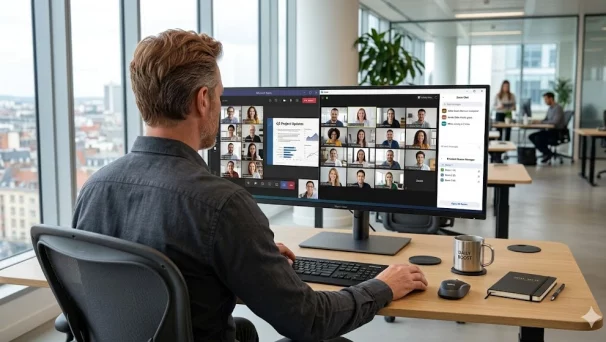
Description of Teams and Zoom Training course
This Teams and Zoom training course will teach you how to use Zoom and Microsoft Teams, improve your screen presence, and adopt best practices for dynamic, structured, and professional meetings.
Hosting a remote meeting cannot be improvised. Between microphone issues, distracted participants, and poorly shared documents, the impact can quickly be lost.
Also discover our Teams Telephony Training course and our Microsoft Teams Training course.
Format
Remote (recorded sessions).
GOOD TO KNOW
This training course includes numerous exercises (60% practical) to enhance learning. Each session will take place even if only one person is registered (except in cases of force majeure). A preliminary interview is held between the participant and/or a company representative in order to fully assess the participant’s profile (level, needs, professional context, challenges, etc.).
Assessment : during the training course, the trainer assesses the participants’ progress through multiple-choice questions, role-playing exercises and practical work. Participants receive a certificate of completion at the end of the training course.
This training course is part of our Cloud Office Tools Training. Discover our trainings on Microsoft 365, Google Workspace and collaborative suites to boost daily productivity.
objectives of Teams and Zoom Training course
By the end, each participant will be able to :
- Master the essential features of Zoom and Teams to host meetings
- Prepare and structure a professional video conference
- Share your screen, launch a poll, manage chat and participants
- Choose the right audio/video settings for smooth images and clear sound
- Improve your remote presence: voice, gestures, looking at the camera
- Respond quickly to unexpected issues (microphone, connection, disruptive participants, etc.)
Prerequisites
- Use or be required to use Zoom or Teams regularly
- No technical prerequisites
Because each participant is unique, a personalised interview with our expert allows us to design a training course that is perfectly aligned with their objectives, level and professional challenges.
target audience
Training accessible to all profiles (managers, teachers, employees, consultants, etc.).
detailed of of Teams and Zoom Training course
Preparing for an effective remote meeting
Objectives, agenda, documents in advance, invitation link, meeting settings.
Using Zoom and Teams as a facilitator
Controls, screen sharing, recording, chat, reactions, polls, breakout rooms (Zoom).
Optimising your meeting environment
Réglages son et vidéo, éclairage, arrière-plan, posture, tenue, gestuelle, gestion du regard caméra.
Conducting a dynamic meeting
Welcome participants, facilitate discussion, use materials appropriately, manage timing.
Managing the unexpected and staying in control
Inactive or noisy participants, technical issues, clear instructions and a reassuring attitude.
The advantages of this training course
This training course :
- Is personalised : 100% tailored to your level, the tools you use and your professional context.
- Covers Teams and Zoom, for greater flexibility.
- Goes beyond functionality: it includes posture, image and animation.
- Is suitable for managers, trainers, HR professionals and customer service representatives alike.
FAQ – Teams and Zoom Training
Why train on Teams and Zoom?
Teams and Zoom are the two leaders in enterprise video conferencing. Knowing how to schedule, run and secure remote meetings (planning, recordings, screen sharing, breakout rooms, polls, facilitation best practices) has become an essential skill.
Teams or Zoom: which should you choose?
Teams is the natural choice if your organization uses Microsoft 365 and wants an integrated solution with chat, files and telephony. Zoom remains very performant and simpler for public webinars or external partners. Our MFE-IT training covers both tools.
How do you run an effective remote meeting?
By preparing a clear agenda, using breakout rooms, polls, moderated Q&A, structured chat, shared recordings and speaking rules. MFE-IT shares proven remote facilitation methods.
How long does it take to master Teams and Zoom?
Our Teams and Zoom video conferencing training runs over 1.5 days (9 hours) in a 100% custom format. This pace allows us to cover both tools and the facilitation best practices.
Would you like to know about upcoming sessions ?
Would you like to schedule this Teams and Zoom Training course on a specific date ? Contact us by email or by filling out the contact form.